
[Release] gNameChanger - Change your name by a RP way
Greetings!
To practice the Lua language and its subtleties, I decided to improve the little NPC I did a few months ago. Most of the work has been done on the server side, (which I think is more "fun" than the client side), with notably the addition of the possibility to save the position of its NPCs a language system, an anti-spam system and much more !
I'm doing this post to get feedback from more experienced developers on the code I've implemented.
Here is the repositery Github : https://github.com/Gabyfle/gName-Changer
A complete and detailed description is available on the Github page.
start of README copy/paste
Features
- First spawn name change request [ BETA ]
- Configurable (active / disable)
- Nice blurred overlay, with community name and description
- Easy setup
- [HOT] Save the NPCs position! (command:
gname_save_all[configurable]) - A complete config file : change colors, models and more !
- A nice UI
- Clean, elegant and beautiful dermas
- Smooth animations
- [HOT] Responsive panels ! (fixed!)
- Facilitate your administration
- Anti-spam protection! (configurable)
- Protection against smarties trying to use derma without going through the NPC.
- [HOT] An incredible blacklist system to block unwanted names and facilitate your administration!
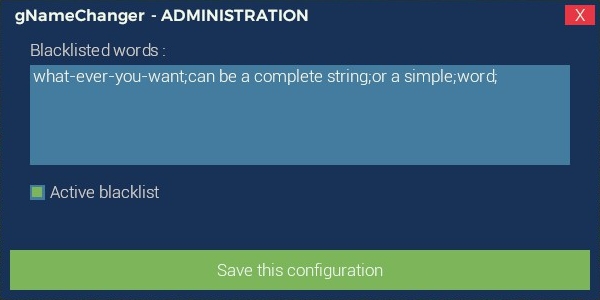
- A beautiful admin panel to config the blacklist system
- Force player to have a proper caligraphy (configurable)
- Force player to change his RPName (command :
gname_force <steamid>) - Works with the latest DarkRP version !
Planned features
- Themes system (change theme colors, blur & more)
- Propose your ideas : https://github.com/Gabyfle/gName-Changer/issues (label : Feature Request)
Screenshots
These screenshots have been taken with the default colors. All colors are changeable.
First spawn name change request
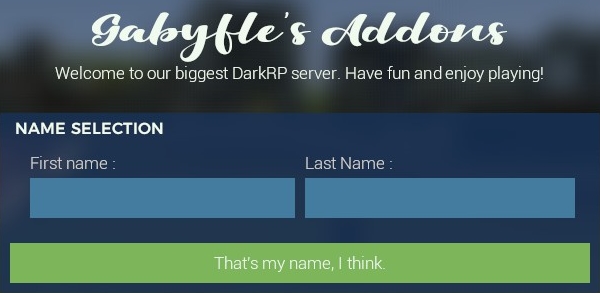
3D2D NPC's title :

(animation : https://goo.gl/RVnMrq)
Home frame :
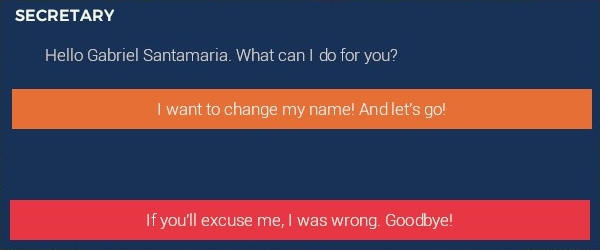
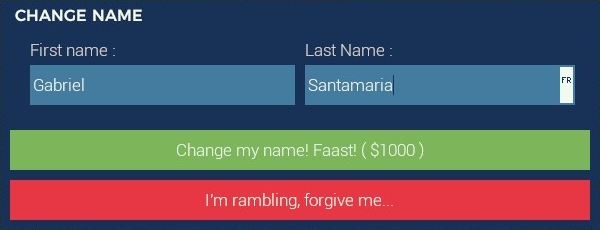
RPName changing frame :
Blacklist's Admin Panel :
Installation
The installation is pretty easy !
Just drap & drop the "gname-changer" folder to your "addons" folder in your own server. It had to looks like :

Configuration
You can easily config your addon, by modifiying the "gname_changer_config.lua". To do this, just go to :
And open the file named : "gname_changer_config.lua" :kiss: end of README copy/paste
I hope it"s allowed to advertise an addon that is not for sale on GmodStore. I haven't seen anything that forbids it (since my addon is opensource)
Thanks for reading, Gabyfle.