
Mapping Resources & Tips
**WIP thread! More coming soon!**
Here's a list of useful resources & tips. Even veteran mappers will probably learn something here.
Feel free to add any tips you have. I'm going to try to keep this updated as new tips are uncovered.
Hammer Editor
Dimension reference page: https://developer.valvesoftware.com/wiki/Dimensions
List of all hotkeys (read this!) https://developer.valvesoftware.com/wiki/Hammer_Hotkey_Reference
Huge in-depth optimization guide: http://files.gamebanana.com/bitpit/man_vs_engine.pdf
Quick intro to hints & skips (optimization:) http://www.nodraw.net/2009/12/optimization-in-source-a-practical-demonstration/
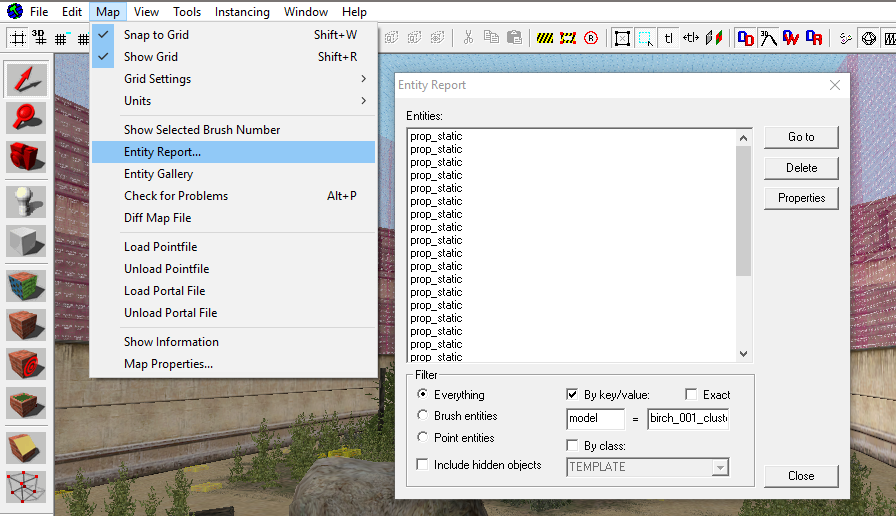
Entity report window:
Useful for finding specific entities or models.
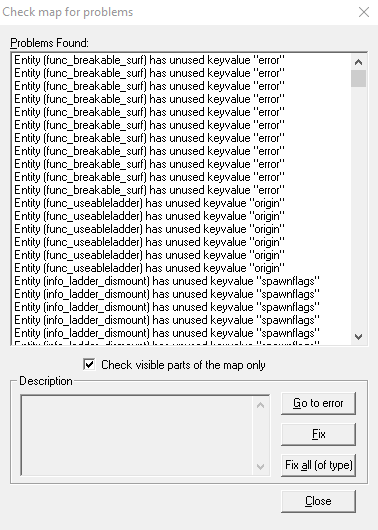
Check map for problems:
Useful for finding missing textures (Hotkey: Alt + P)
VMT Textures
My displacements look stretched!
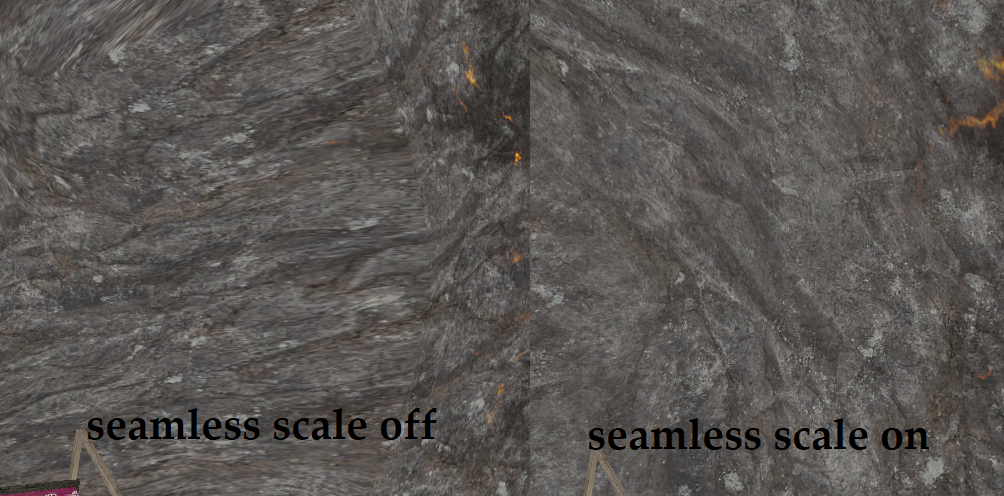
Use $seamless_scale 0.0078125 for a regular .25 scale 512x512 texture.
https://developer.valvesoftware.com/wiki/$seamless_scale
Tools
Slammin compile tools:
This is the magic "make my map look better" button. These tools have a ton of new features such as ambient occlusion, better displacement shadows, and world texture shadows.
Compilepal:
Compilepal automatically packs your map content and builds cubemaps. It has built in error checking and allows you to quickly change compile parameters. Gets frequent updates.
VIDE:
Manual content packing. Also has the features of VTFEdit, GCFScape, and Entspy.
https://developer.valvesoftware.com/wiki/VIDE
Interlopers compiler error checker:
Checks for compile errors. Integrated with Compilepal.
https://www.interlopers.net/errors/
Assets
TopHattWaffle: https://www.tophattwaffle.com/downloads/
Ajack's Textures: https://garrysmods.org/download/8919/ajacks-texture-pack
Lots of Skyboxes on gamebanana: https://gamebanana.com/textures/cats/28
Stunning skyboxes by Jacob Robbins: https://jacobdeanr.github.io/Source_Skyboxes/skybox_list_v3.html
Videos
These are videos on specific subjects, not general how to map tutorials.
Texture alignment and advanced geometry tips:
How to create level overview screenshots: (note: In gmod, you can use the camera tool instead of turning off your hud)
TopHattWaffle: https://www.tophattwaffle.com/tutorials/
3kliksphilip: https://www.youtube.com/playlist?list=PLfwtcDG7LpxF7-uH_P9La76dgCMC_lfk3
UEAKCrash: https://www.youtube.com/playlist?list=PL2KT0JL74QfcI2FSN_MdQ7agYL4DmP7hZ
Discord servers:
My personal discord: https://discord.gg/UCSnuTm
GmodStore discord: https://discordapp.com/invite/5ZJA4a3
Bulk resources:
Re-posted Facepunch Hammer tutorials and assets: https://knockout.chat/thread/862/
TopHattWaffle: https://www.tophattwaffle.com/