

Become a Translator
To become a translator, you must be fluent in English and the language you are translating into, have a Github account as well as know how to use JSON.
Translating the addon rewards a 50% off coupon.
To get a template for your translation, head off to the Github Repo's translations and take the English one.
Make sure you're getting the latest version. That link goes to 2.0.0, but it might've changed.
Begin writing your translation. Once your done, submit it in a PR. Once accepted, I'll take the Gmodstore URL inside the authors fields and give them the coupons.
"Mr Livaco, I already own the addon and want to test my translation looks correct!"
No problem little Timmy! I've got your back!
YAWS has a built-in way to use a local file to open a translation. It requires some work though.
First, go to wherever you have the addon installed. This could be your local game, or your dedicated server's files. Go into it and go into yet_another_warn_system\lua\yaws\core\sh_langauges.lua. Open it up in your favourite text editor.
On line 5, you'll see this.

Turn that false into a true. Now the addon knows your a translator wanting to test his stuff, and will change it's language behaviour for you. If your on a dedicated server, restart it. If your running it on your local game's addons, leave your current singleplayer game and rejoin it.
Now we need to feed it a translation. Go into your steam, and right click on Garry's Mod. Hover over "Manage", and click on "Browse Local Files"
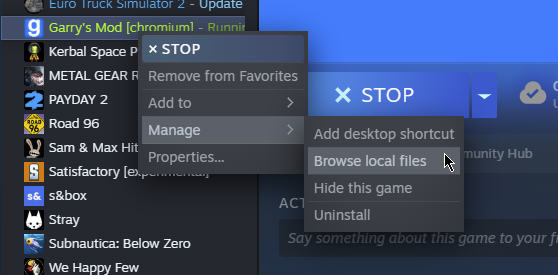
This will open up your Garry's Mod game files. Don't worry too much about what you see, ignore it and go to garrysmod/data
You're going to see a whole shit ton more stuff here, but ignore it. Right click, hover over New and click Text Document.
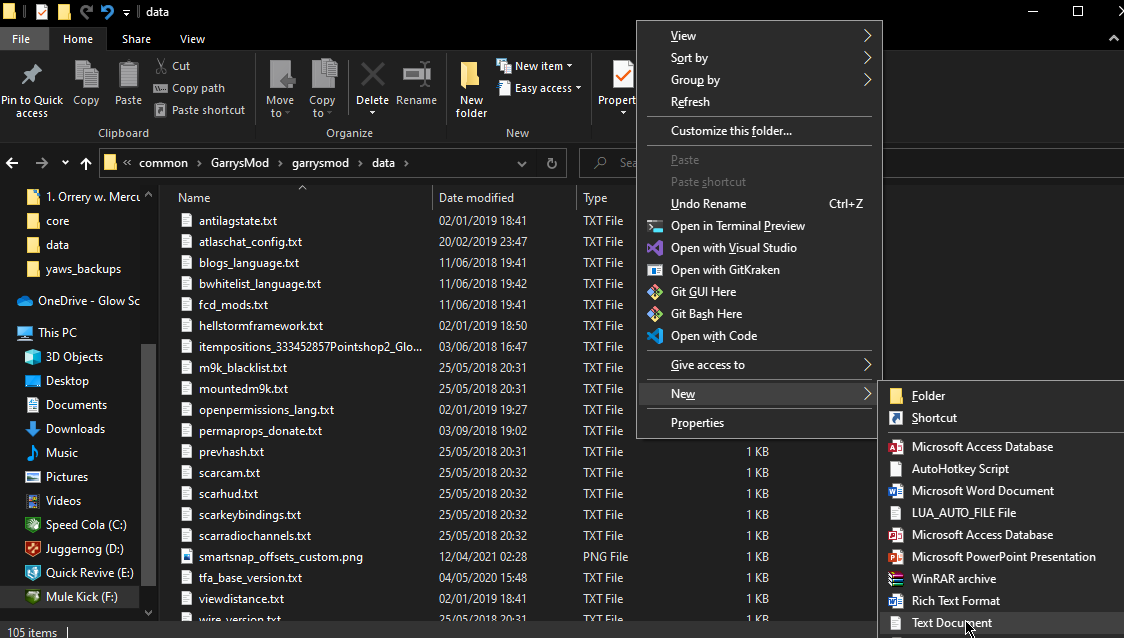
Rename it to this: yaws_language_dev.json - Once you press enter, Windows will warn you about the dAnGerS of changing a file's extension. Ignore it, and press yes.
Open that file, and throw your fancy pants translation into that. Save it, and open your game.
Initially, nothing will have changed. What you want to do here, is open your game's console and type yaws_resetlang
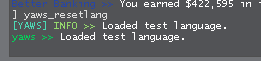
Assuming your translation is valid, your test language is now loaded. You can open YAWS's UI and see your beautiful translation work in practice. In the example image below, I used the 2.0.0 French translation by Sarbatore.
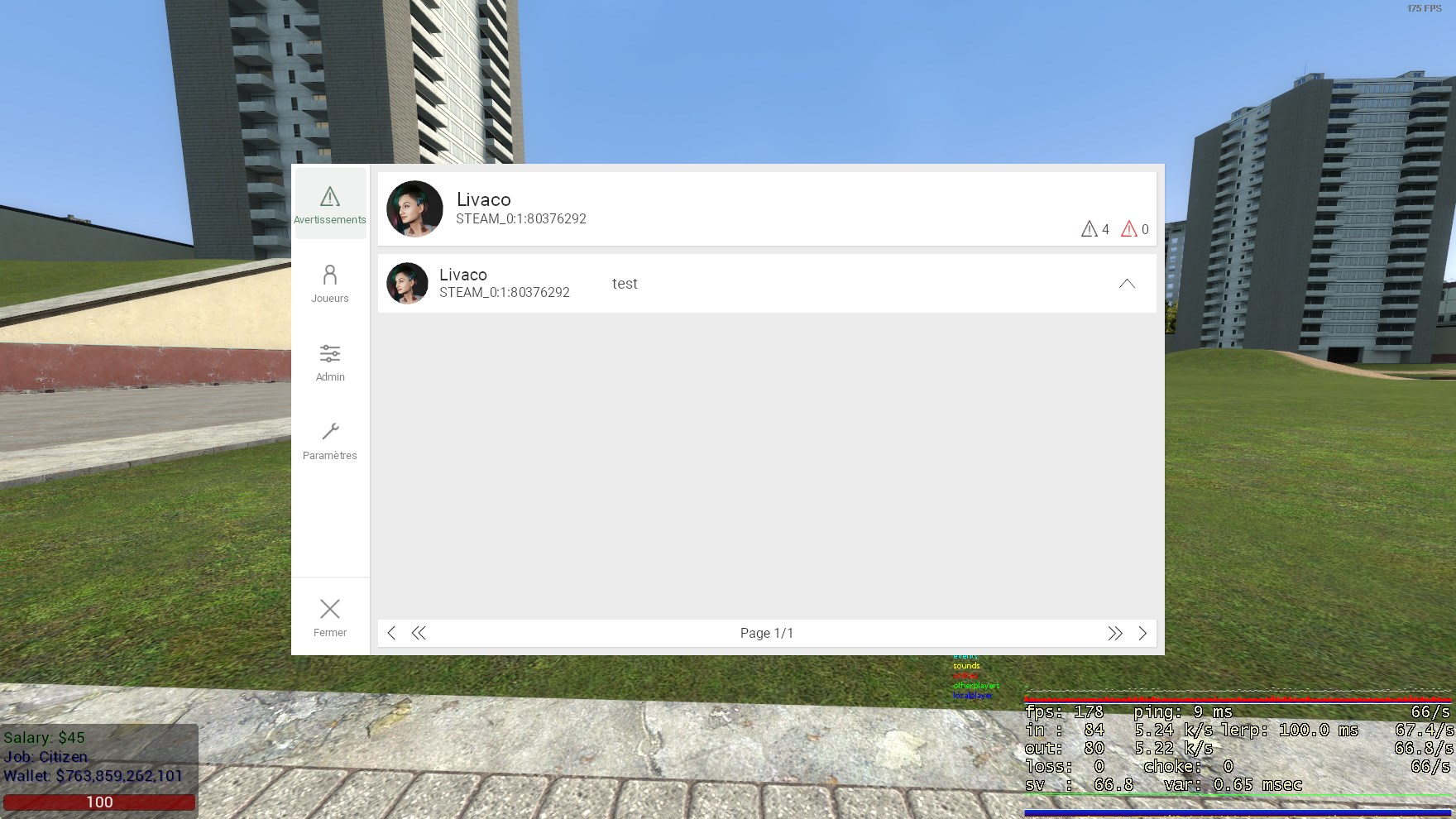
To update it, simply change your file, save it, and retype that command into the console.
To go back to normal, change that TRANSLATOR_MODE variable back to false.

Next, open the UI and go to your settings. Select any language, and then finally just go back to the one you usually use. Done!