

Creating a custom punishment.
To create a custom punishment will require at least some lua knowledge. If you don't know how to script using lua and your idea is simple enough, drop a ticket and I'll see if I can help you out.
You can also create custom punishments as part of other addons. E.g if you have a banking addon you can include a punishment packaged with it to take money away from the players bank account, etc.
To create your own, start off by going into a new addon's folder (or your pre-existing addon's folder) and creating the following directory path: lua/yaws/punishments
This is where all punishment files are located. These punishments are all shared, however their actions will be ran on the server only.
Create your new file, prefixing it with sh_ to let YAWS know it's shared (this is how YAWS's autoloader works). General practice is to name it sh_addonname_punishment. E.g sh_exampleaddon_killshame
From there, we can begin making our punishment code. Here's an example taken from the actual addon, if you don't want the long version and want to figure it out from a code example:
The long version goes as follows: To begin, we first need to create a PUNISHMENT object. YAWS.Punishments.CreatePunishment() will do this, and return a table you can use.
From there, we can give our punishment 3 things.
- An ID: This is how YAWS internally identifies the punishment. General practice is to make this the name of the addon, "." and then the punishment. E.g if I was making a punishment for BetterBanking that would take away money from the player's bank, it would be "betterbanking.money" or something.
- A Name: This is the name that appears for the users of the punishment.
- A Description: A small general idea of what your punishment does.
We'll make a punishment that kills the player and tells everyone on the server they're a poopy head. Not a very useful punishment, but this is just an example and I'm uncreative so whatever.
Now, we can add "parameters". These are what the user can change about the punishment.
To add a parameter, simply call PUNISHMENT:AddParameter(id, name, description, type, default).
- ID: The internal name of the parameter. This is how you will also key it later when actually running your punishment.
- Name: The name of the parameter that appears to users.
- Description: A description of the parameter.
- Type: The type of variable this is. Can either be "string" or "number".
- Default: The default value of the parameter.
We'll just make one parameter, that allows the user to change the message that gets put out. (No, YAWS doesn't auto replace the {USER} placeholder - again, it's just a part of the example)
Now we can get to the juicy stuff. Next is the ShouldEnable function. This function tells YAWS if this punishment should be selectable or not. Typically, this is used to determine if a specific addon or something is installed, but we don't need it here. Return true/false inside this function to tell YAWS to enable it or not, we'll just make it always true though.
Finally, the big boy. The action. The action is when your punishment actually needs to run. Three parameters are given to you in this function:
- Admin - The admin that ran the punishment. This is a player entity, or false if it was a console warn.
- Target SteamID: The SteamID64 of the target. This is a SteamID since the player is not guarenteed to be online during the punishment.
- Params: This is your parameters that you defined earlier. It's a table, where the keys are equal to the IDs for the parameter, and the values are the values the player put in for it.
The return value for this function is two values. Returning false is telling YAWS the punishment failed. You'll need to provide a second return value in this instance, which is the message to display as to why it failed. Returning true, tells YAWS the punishment ran without issue. No second value is needed in this case.
We'll first need to check if the player is actually online. As said just above, the SteamID64 is all we're given as the player isn't guarenteed to be online, so we'll have to get their player entity. If they aren't online, we'll just have to stop the punishment. If they're online though, just kill them.
Next, we can process our message. We'll get it from the params table, and then format it to replace that {USER} placeholder I put in because I'm overly complicating this example.
Then we can finish this off with just looping over every player and sending that message. Make sure to also remember to return true.
With that, we're done. Here's what the full punishment looks like:
Restart your server, and it should appear.
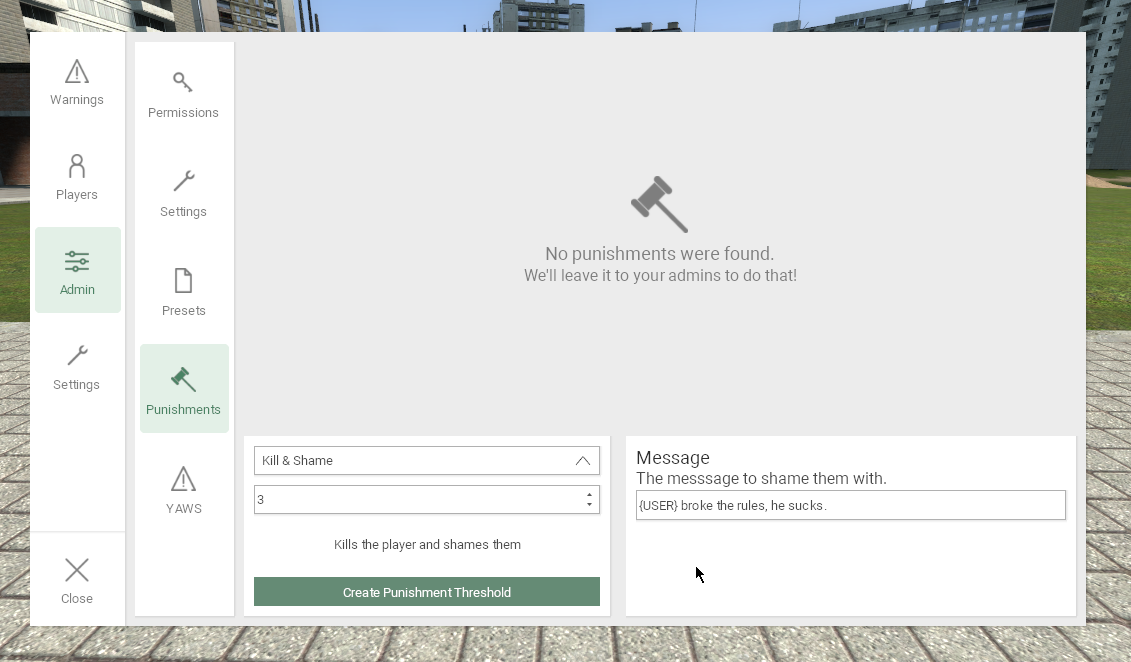
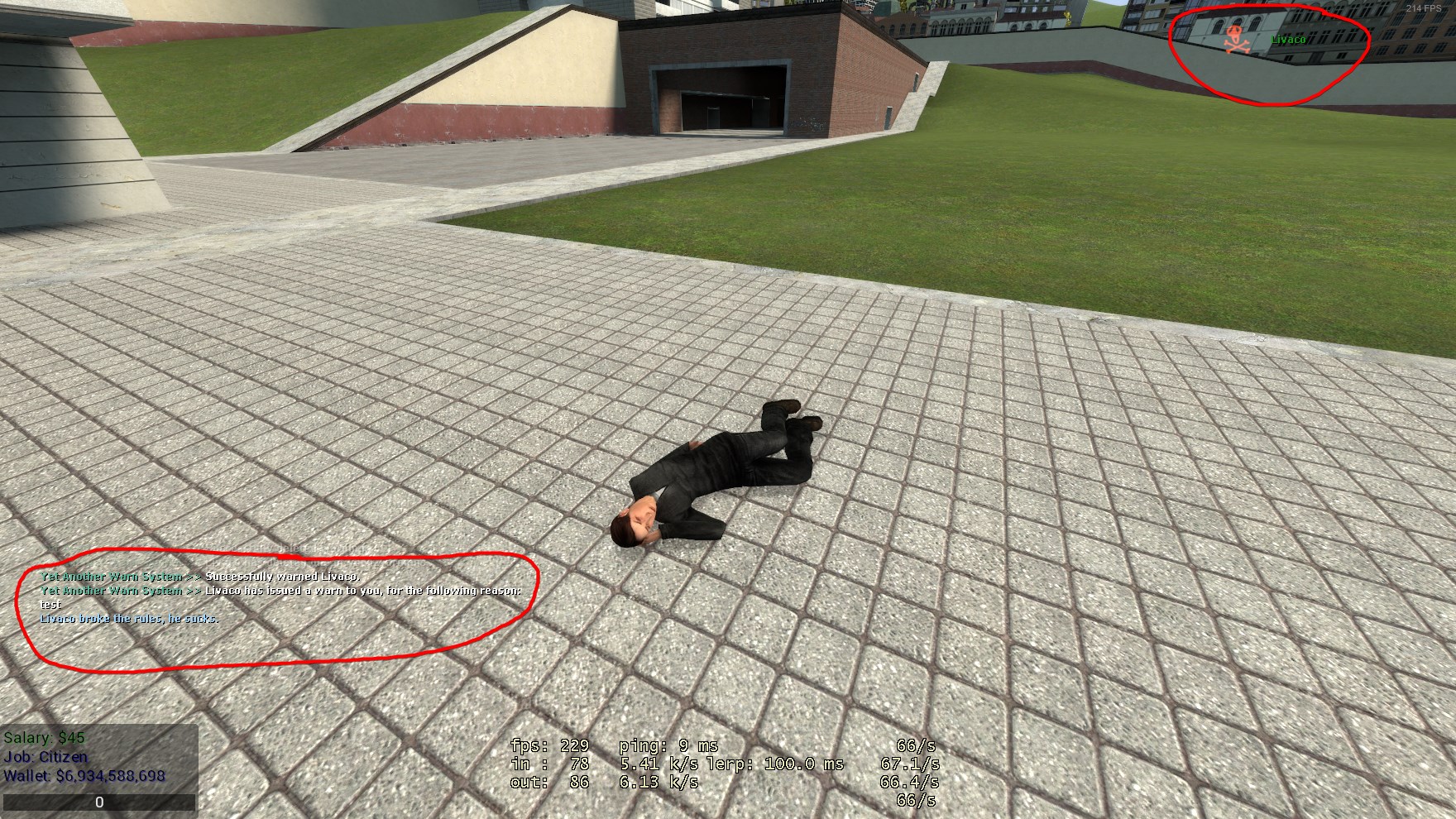
And, warning myself and triggering the punishment, we can see it works fine.
If you have any more questions, issues or just want to insult me, make a ticket and I'll help you out. Good luck!