

Part 3 : Managing wheel layouts
In this part we will create new wheel layout using functions you created
as well as the one you created in previous part.
1 - Join server and write "/snwwheel" in chat
Window will open that will look like that
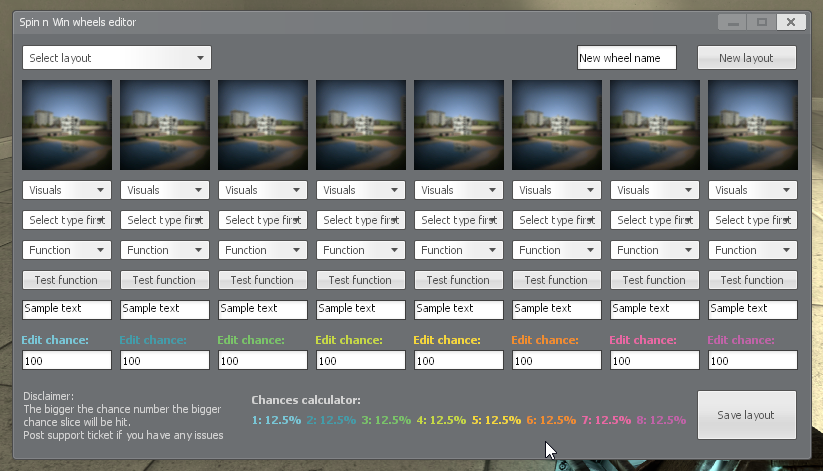
2 - Lets click on "New wheel name" and write "Layout 1" and click New layout. Window will restart.
3 - Click "Select layout" and select our "Layout 1". We can now edit our layout.
4 - Each individual slice consists of model/image, function, text and chance.
- Let's begin editing from left to right. Click "Visual" and select "Model"
- Click "Select model" and select "snw_money_small"
- Click on Function and select "give 1000$"
- Click on "Sample text" and write "1000$"
- Lets omit "Edit chance" i will talk about this in later part.
5 - Repeat step 4 until all slices are filled. Your window should look like that.
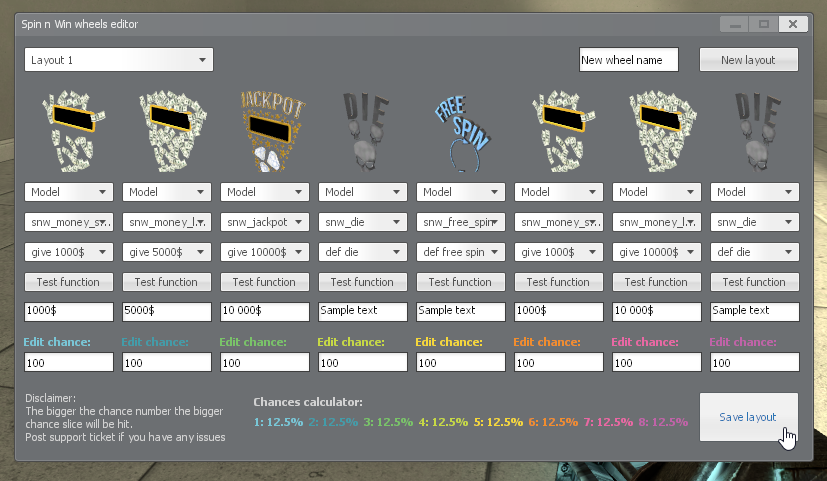
Click save. Window will reopen. Click on "Select layout" and choose "Layout 1".
6 - Now let's talk about editing chances. We don't want players to have such big jackpot chance and by default all slices are equal.
By changing the number we can alter that. The rule is: the bigger the chance number the greater the chance slice will be hit.
Chances calculator will refresh in real-time to give you feedback about current situation.
Let's put 1000, 200, 50, 1000, 250, 1000, 200, 1000 respectively. You can see chances are now updated and window looks like that
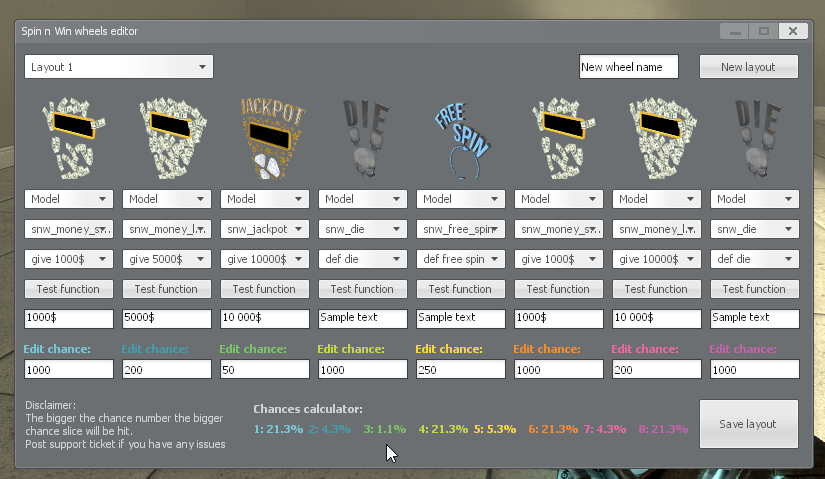
As you can see there is only 1.1% chance of getting jackpot which is ok for our tutorial layout.
There is also equal chance of getting small money prize or getting killed.
Let's click save and exit the editor.