

Media gallery

Buy product
$6.00

In short
Restrict PAC outfits for groups
Warning! 1.2.4 Version for newest PAC from github repo or workshop. For any older versions use 1.2.3
(Currently no upcoming updates, but I still support, so feel free to PM me).
What's this?
This addon is about serious control of an PAC3 that doesn't provide many options for controls. This addon makes possible to restrict things in the PAC3 editor, like limiting the network content size, outfit item class (for example, entities and particles), restrict it to usergroups and SteamIDs. It also helps prevent errors spamming console and making sure the URL, model and material paths are valid.
Advantages:
- Easy to configure, as it has its own GUI and console variables for management.
- Restrict the PAC3 editor and outfit wearing.
- Create restrictions for every usergroup and Steam ID.
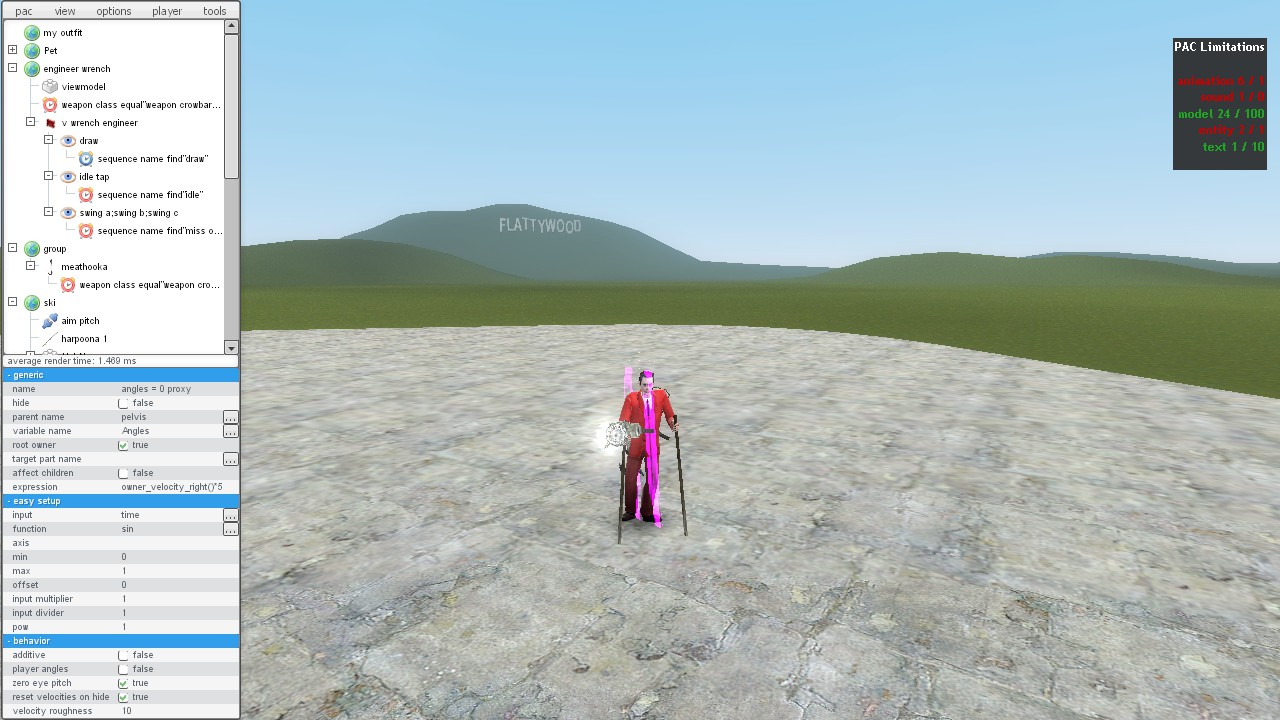
- Allows the restriction of a count of content in a PAC3 (amount of sounds, models, webaudio, etc.)
- Allows a limit to the outfit's filesize.
- Prevents repeated requests for filehostings (404 or not found).
- Has a cache and won't send more than one unique request (no unnecessary loading!).
Disadvantages:
- The server will have to download content in order to get the filesize(should this been done on client?)
- You may experience an increased delay before wearing PAC3 (if it's fetching the data).
How do you install?
Drag and drop "pacres" to your server's addons folder.
How do you configure PAC3 Restrictor?
Type pacres_gui in console (you must be a superadmin to open this menu!).
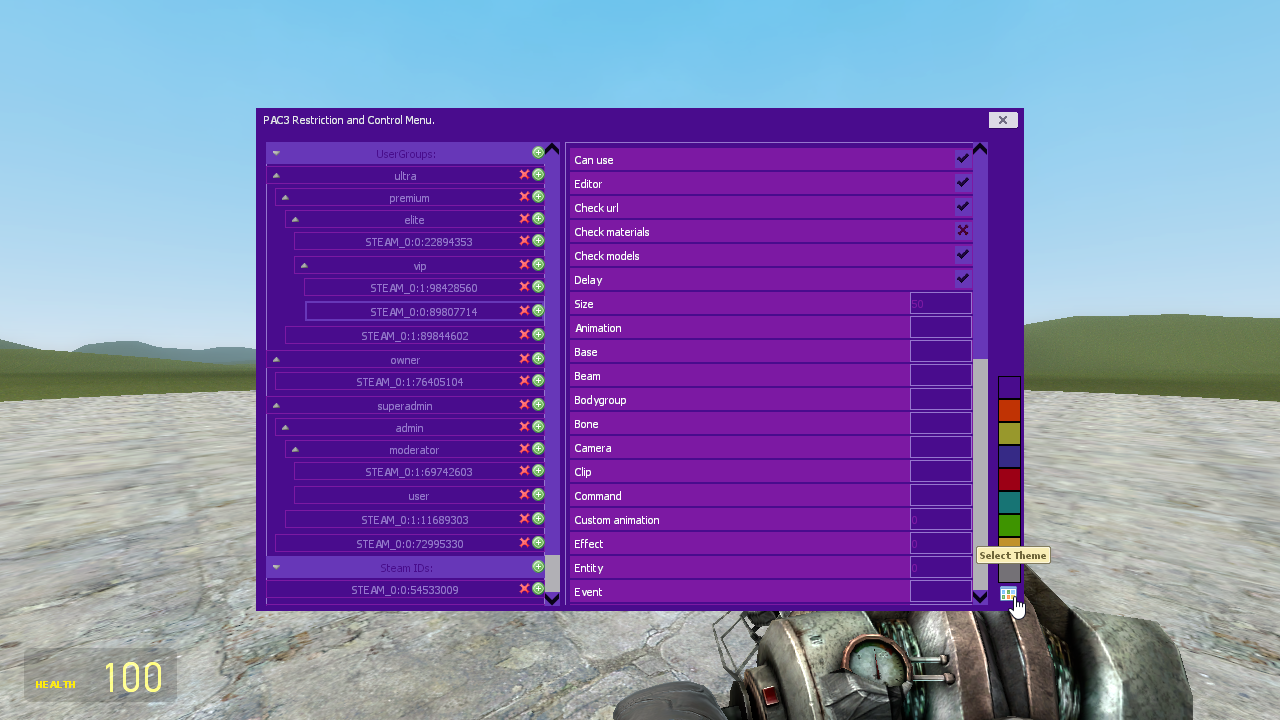
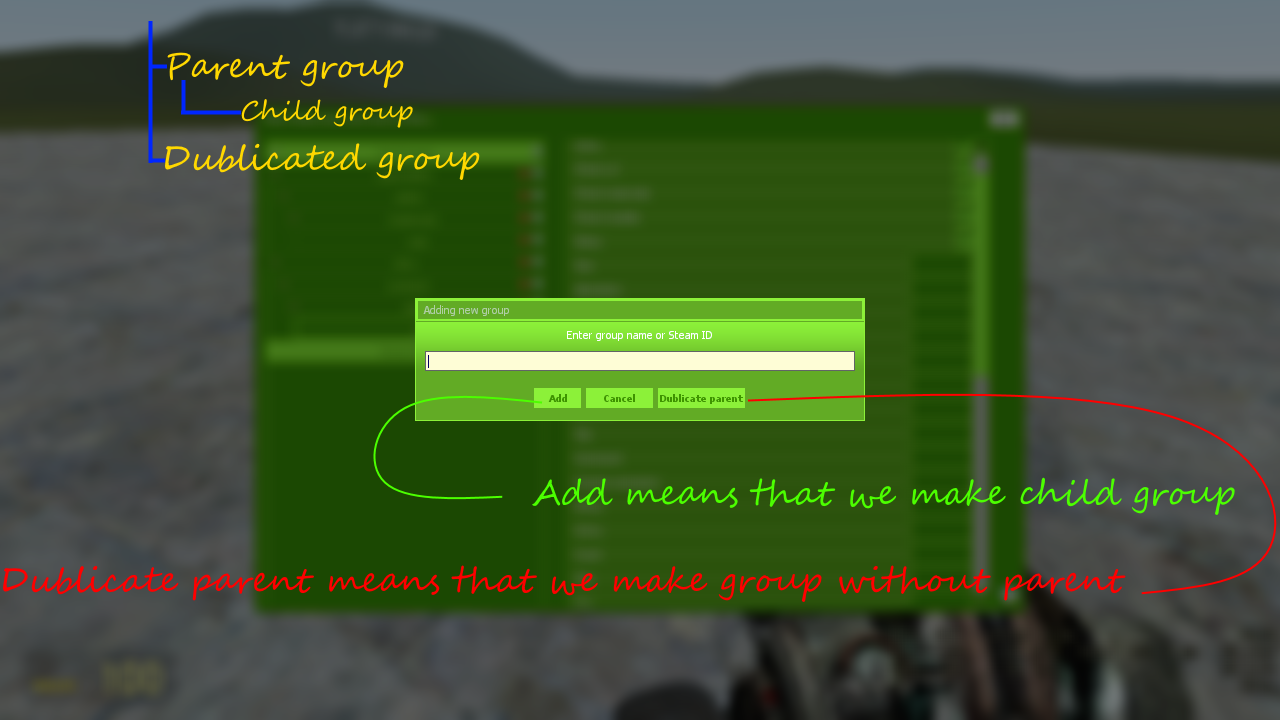
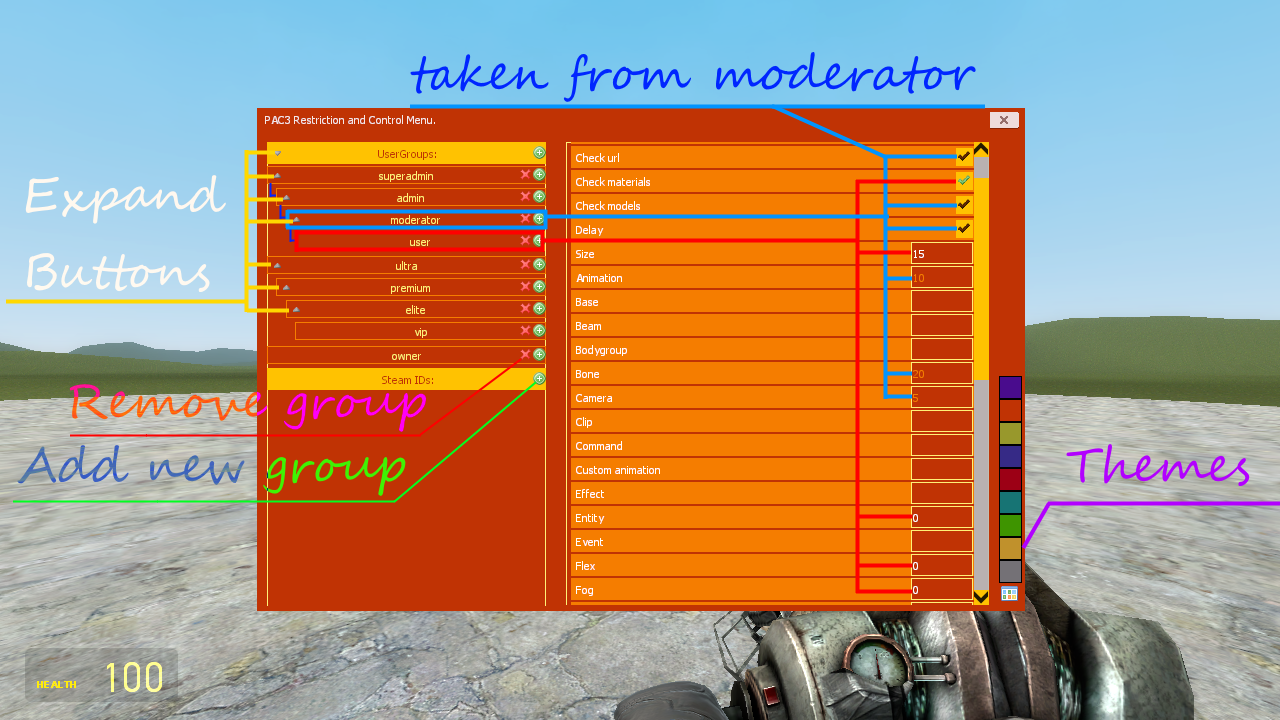
On the left side, you have the ability to create and select groups. Plus button will add new group, red cross - remove, arrows up/down - expand buttons. On the right side, options will pop up with information in a tooltip. Look screens to understand how it works.
When you create a new group, you can have it inherit settings from an other group.
You can also use SteamIDs if there's a conflict with the groups.
Configuring it with the server console:
It is recommended you use the menu to configure this add-on, however, you can still configure it using server console.
Use the console command pacres_cfg <#arg1> <#arg2> <#arg3>.
"#arg1" is the group name. If the group doesn't exist, it will create it, deriving(or based if "#arg3" is 1) it from "#arg2".
If "#arg1" contains a valid group and "#arg2" doesn't, it'll remove the group.
If "#arg1" contains a valid group and "#arg2" is a name (look pacres\limits.lua in table limits), it will set restrict to "#arg3"(if not or -1, then remove).
Examples:
- pacres_cfg admin superadmin 1 -- Will create group admin and copy settings from superadmin.
- pacres_cfg moderator admin -- Will create group moderator and make admin as base.
- pacres_cfg admin -- Will remove group admin.
- pacres_cfg admin can_use 0 -- will restrict usage pac for admins.
Why restrict PAC3 editor? Why check for errors? Why check for active materials?
Someone can use PAC3 to overload a player's connection on the server and to overload their cache with oversized files. URL errors don't give players any feedback, but just spams server console and many add-ons that check it. Checking materials also prevents a user to use mounted content - for example, if the server doesn't have TF2 but the client does, and you want to prevent this on your server for quality control.
Convars:
pacres_timeout - timeout for web content in seconds(def. 10).
pacres_delay - Restrict how often the server will check for a PAC3's content in seconds(def. 10)
pacres_default - Default group which will be used if player group not defined in restrictor(def. *default*)