Add DConfig to your wishlist and maybe someone will gift it to you! Click the heart!

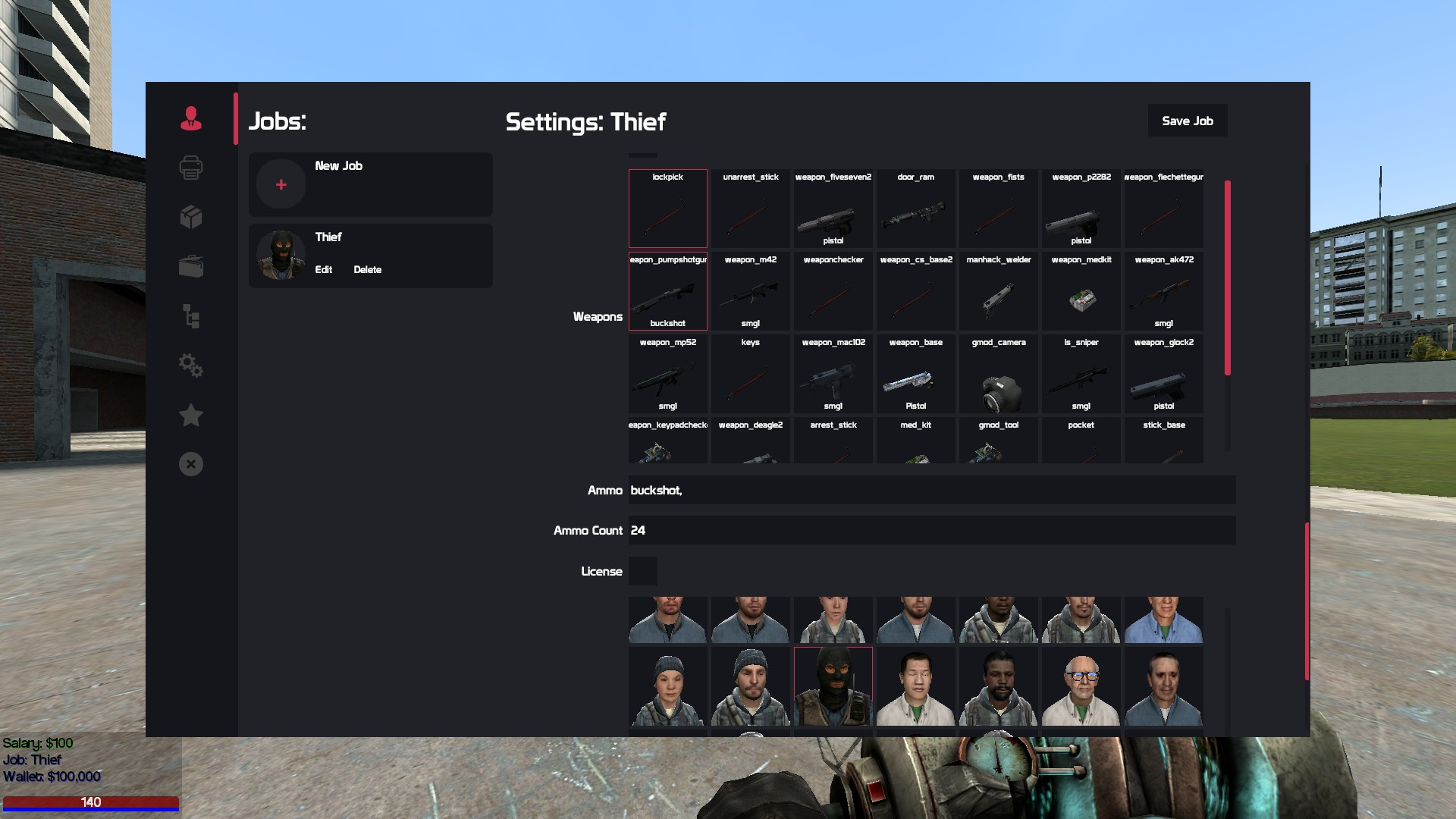
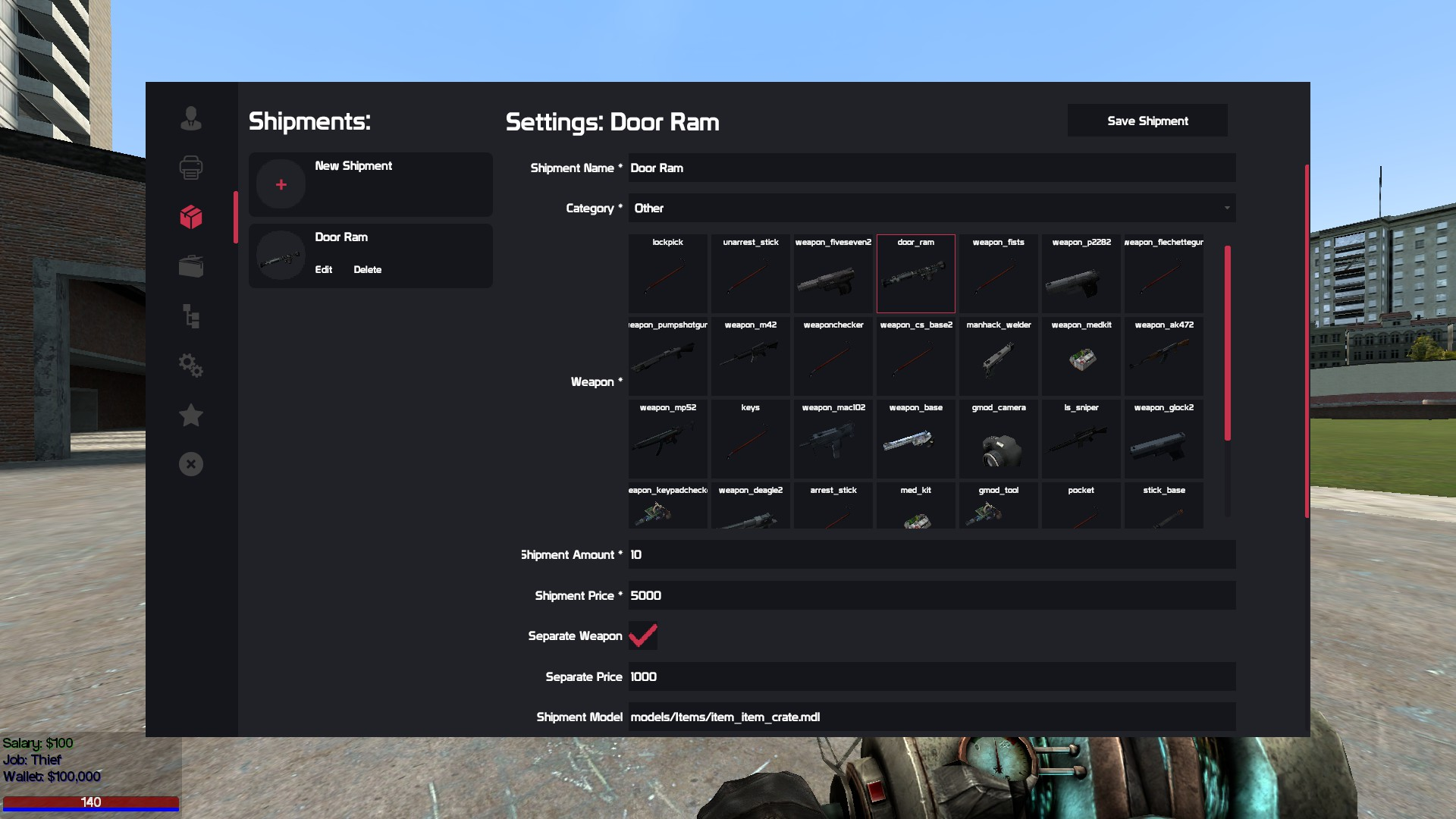
DConfig is an in-game DarkRP editor. DConfig does what was thought to be impossible. Upon installation you will be provided with an array of tools. DConfig allows you and your fellow admins to create jobs, ammo, shipments, categories and entities in-game! Not only do you have access to creating jobs, but the editor is also packed with some additional features. ( see below ) DConfig also comes with an error notifier. If you make a mistake you’ll see it printed in the editor before console. Have fun cutting the time it takes to setup a server in more than half.


- Jobs Editor
- All job options are in-game.
- Lua Extractor - Paste the code directly into jobs.lua!
- Custom Options:
- Damage Scale
- Run Speed
- Walk Speed
- Model Scale
- Material
- Jump Power
- Fall Damage Toggle
- Default Job Toggle
- Demote on Death
- Demote on Death Message
- Player Model Body Groups
- Shipments Editor
- Model Selector
- Lua Extractor
- Classname Selector
- Ammo Selector
- General Settings Editor
- Edit any string/boolean values from settings.lua
- Entities Editor
- All entities options in-game.
- Lua Extractor
- Categories Editor
- All categories options in-game.
- Lua Extractor
- Ammo Editor
- Easily select through a list of all ammo types in-game. All options are available.
- Lua Extractor

- Vehicles
- Create in-game vehicle editor
- Admin Mode
- Easily retreive classnames / world models of visible entities for easy inputting.
Lua file extractionExtract data that is created in the ingame-editors for later use.- AVAILABLE NOW AS OF 7/3/2020

- Unzip the addon
- darkrp-master-config <- DCONFIG
- dconfig-dataloader <- DCONFIG's NEW DATA LOADER
- Extract darkrp-master-config into garrysmod/addons
- Extract dconfig-dataloader into garrymod/addons/DARKRPMODIFICATION-MASTER/lua/darkrp_modules
- Restart Server
- Workshop Content
- Configure darkrp_modules/dconfig-dataloader/sh_dconfig_config.lua:
- Video Tutorial

- **Developer Hooks: **
- (Shared) "DConfigDataLoaded": Called when all the custom content has been added to the server.
- Example:


- CSi. Xavier: tremendous amount of help with code and solving logical errors.
- Ted.lua: Helped with design features.
- Atticus: Providing the script idea.
- RE Lexi: Created banner and script description images.