

Media gallery
No description


Buy product
$12.99
Includes 6 months of product support.
In short
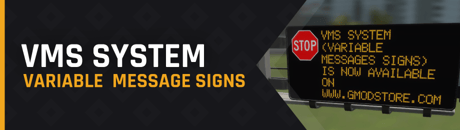
VMS System will bring something new to your server: Variable Message Signs. This will create new roleplay opportunities and add a new way for your player to make money.
💬 Introduction
Are you looking for a “non-criminal” innovative way for your players to make money? Look no further!
As a server owner VMS System gives you the ability to setup Variable Message Signs your players can maintain and take care of. With assigned missions from the VMS headquarters, your players can move to the city and perform tasks from their missions in an interactive way, all this presented with a clean and pleasant user interface.
✔️ Features
- Variable message signs (VMS)
- Cool 3D model
- Signs/message display on 3D UI
- Platform reachable from the ladder
- Control box (used for missions)
- Particles/sounds
- Modular mission types:
- Define different settings for your custom mission types:
- Type name
- Type min/max delay
- Type min/max reward
- Type tasks list (check bellow)
- Tasks system (minigames):
- Cable inspection
- Cable repair
- Display repair
- Reboot
- Computer:
- Monitor all VMS of the city from the computer
- Edit the sign and the message of a selected VMS
- Kick players who camp out the computer for too long
- Mission screen:
- User friendly 3D interface
- Available mission list
- Mission rating
- Accept/cancel missions
- Show details about your mission, such as:
- Mission name
- Board name
- Board distance
- Mission delay
- Reward
- Tasks
- Mission HUD:
- Toggle key to hide/show (default: F9)
- Show details about your mission, such as:
- Mission name
- Board name
- Board location
- Board distance
- Mission delay
- Reward
- Tasks
- Tips
- Navigation to screen popup:
- A box that will appear on the top right corner of the screen once a mission is finished
- Click "Yes" to navigate to the last known mission screen, "No" to close
- VMS Admin tool:
- Save/.remove map entities
- Name/rename VMS
- PMV Editor:
- Add/remove messages (name)
- Add remove signs (name, URL)
- Other:
- Boards signs/messages can be saved between server restarts
- Admin chat command to generate a new mission (default: /vms_gen)
- Configurable cooldowns for:
- VMS edition
- Mission fail
- Mission success
- Mission start
- Mission stop
- Enable/disable mission fail on death
- Configurable render distances
- Hide/show claimer name on mission screen
- Mission HUD position can be changed
- Configurable times for mission end HUD (success/fail) and navigation popup
📑 VMS System is/has
- Easy to use, install and config
- DRM-Free
- Optimized
- Custom model
- A clean & user-friendly 3D UI
- Cool sounds
- Support for:
- Billy's Logs
- DarkRP
- NutScript
- Helix