
How to add custom addons to server.
Okay, im wandering how I could add like a simple helloworld.lua to my server files, so it can run everytime a player joins. Like do I put it in my addons folder?
Code:
print("Hello World!")
io.read()
Directory (where I put my addon folder):
garrysmod/addons
Hello World Folder:
helloworld/lua/autorun/helloworld.lua
Everytime I look in console, or try to put in the command to run the .lua it pops up with nothing.
(Command: lua_openscript helloworld.lua)
Don't make multiply threads and try to use google please :/
https://www.google.com/search?client=firefox-b-d&q=making+a+script+in+gmod
Hint: https://wiki.garrysmod.com/page/Beginner_Tutorial_Intro#/Creating_the_script
I have been using google, and that's the reason I came to gmodstore to ask for help, because I dont know how to add it to a online server. I have tried the explanation you gave me, put it in the right directory, it works in singleplayer but not multiplayer. I'm trying to make it so I can add the command to a multiplayer darkrp server, and know how to add more custom addons in the near future.
Literally on the page that
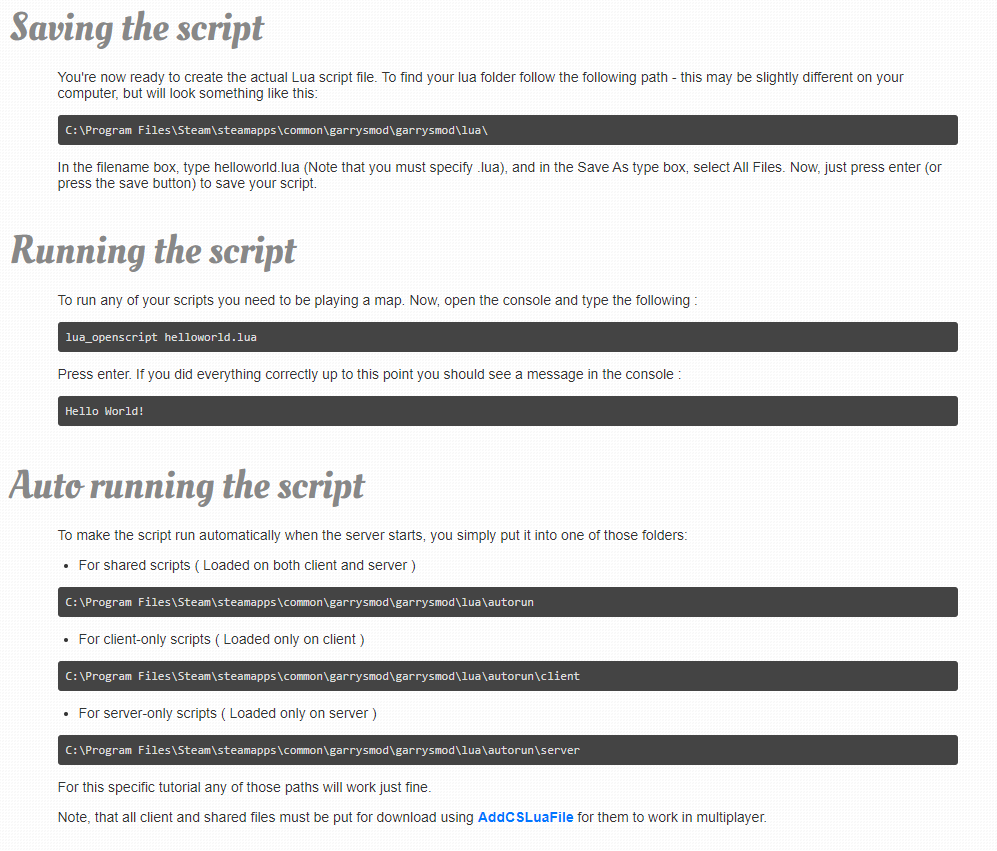
The only difference is that your server directory should be interpreted as your game directory. Apart from that it's the exact same process.
EDIT: Side note. io.read() is not a function. Use the Wiki to check if functions you want to call exist.
EDIT #2: You forgot a " in your code.
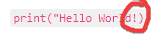
Yes I know and fixed it, so should I remove io.read() in my code for it to work?
Okay, I removed io.read() and on my darkrp server its still not running the hello world print. This is the folder I put in my server addons folder:
helloworld/lua/autorun/helloworld.lua
Inside of the helloworld.lua is the line:
print("Hello World")
and whenever I restart my server, and load in, I cannot see the command inside of the in-game console (Im not checking the server console) what did I do wrong?
Edit: I have did the command lua_openscript helloworld.lua
And it still doesn't show.
After creating the addon folder inside your addons ensure that you restart your server and/or gmod client. ( depending on where you put the addon )
If you save your file and have only your print statement in there it should run again and show up in console each time you save your file. If you want it to print each time a player joins you can use the "PlayerSpawn" hook and execute in there.
Here's a link to some tutorials that could potentially be helpful.
https://www.youtube.com/playlist?list=PLN1e9kVZIWewR9Tm48zbxdm1qiBEWYpJI
Yes, I have restarted my server, and my gmod client, but it still does not appear inside of my gmod in-game console. Is this an issue with my pc? Because I can run it in single-player just fine, but in my gmod darkrp server, I can't run it. Hooks are helpful, but its not what im looking for, im trying to just figure out how to run a simple print command in my darkrp in-game console, I have tried about 4 times to get this to work, but its still not working.
Edit: Do I have to put my helloworld.lua inside of my GarrysMod/garrysmod/lua folder?
Move it from lua/autorun to just the lua folder inside your addon.
Okay, I did that and it still didn't work. I changed the folder to:
helloworld/lua/helloworld.lua
and it still doesn't work.
Now run lua_openscript helloworld.lua but instead or running it in your game console, run it in your server console.
lua_openscript will only work on a server console if your a server.
Nice, thanks man, it pops up the command in server console. How do I make it so it can pop up in in-game console?
You'll need to run it clientside. Surround it with a if(CLIENT) then
Like this?
if(CLIENT) then
print("Hello World")
Don't forget to end the if statement. Google lua if statements and you'll see what your missing.