

Media gallery
Buy product
$6.99
In short
All-in-one DarkRP HUD for Garry's Mod. Replaces every default UI element with one clean, animated design: player HUD, kill feed, custom crosshair, damage indicators, death screen, vehicle HUD, alerts, wanted & law board, and more. Zero-config, with 4 themes and per-player settings.
Trabaho Premium HUD - one cohesive interface for your server
Stock DarkRP looks dated, and most HUD packs only fix the health bar - leaving you with a mismatched screen of clashing fonts, default notifications, and a vanilla crosshair.
Trabaho HUD replaces the entire on-screen experience with one consistent, animated design. Every surface shares the same style, accent colour, and scaling, so players see one polished interface instead of a pile of addons.

It works standalone, right out of the box - drop it in addons, restart, and you're done. No config files, no dependencies, no setup.
- Looks premium instantly - feels custom-built, not stitched together
- Zero-config install - no files to edit; it just runs
- Player-friendly - everyone tailors their own HUD in-game
- Resolution-perfect - scales automatically to every screen
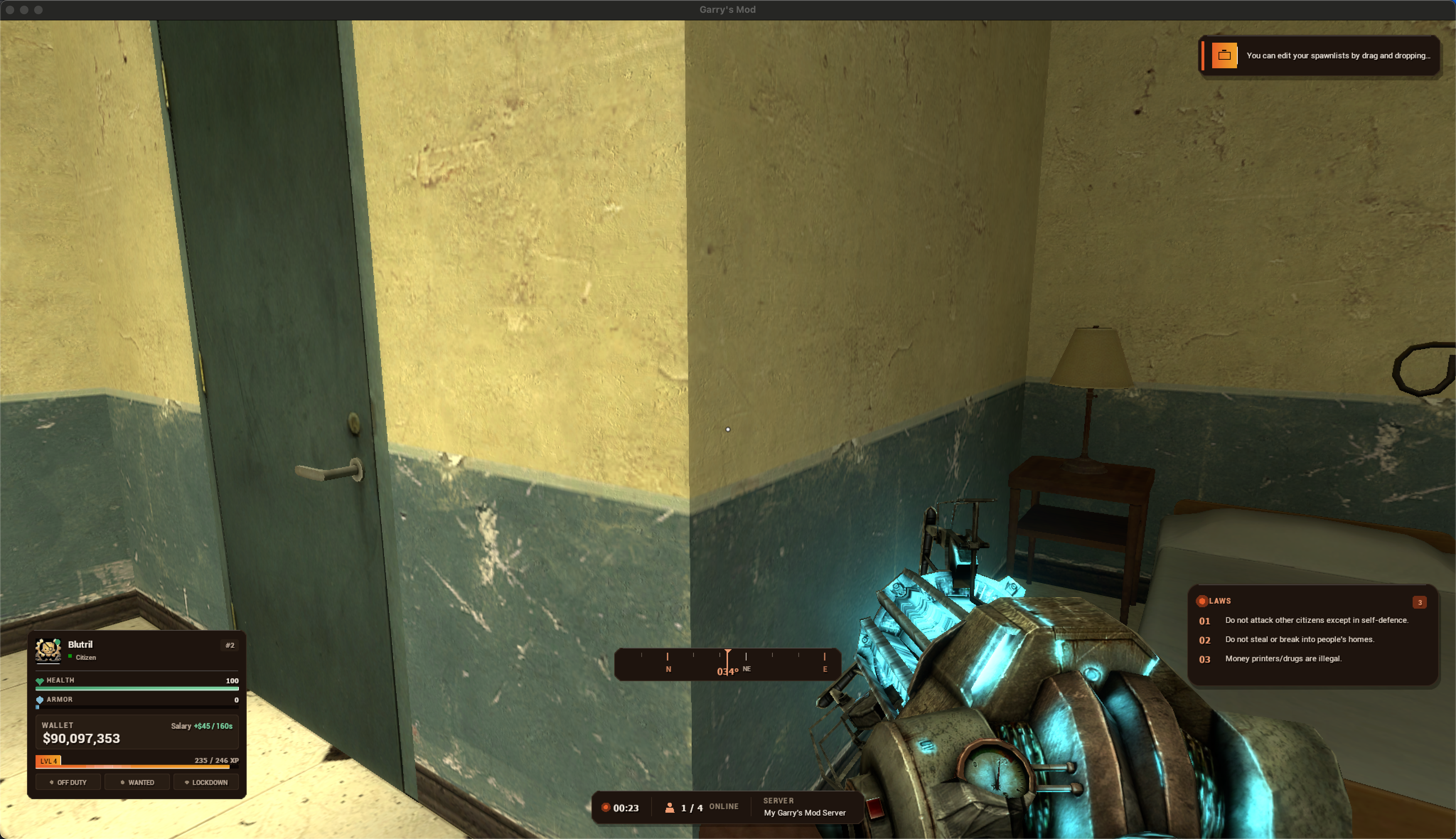
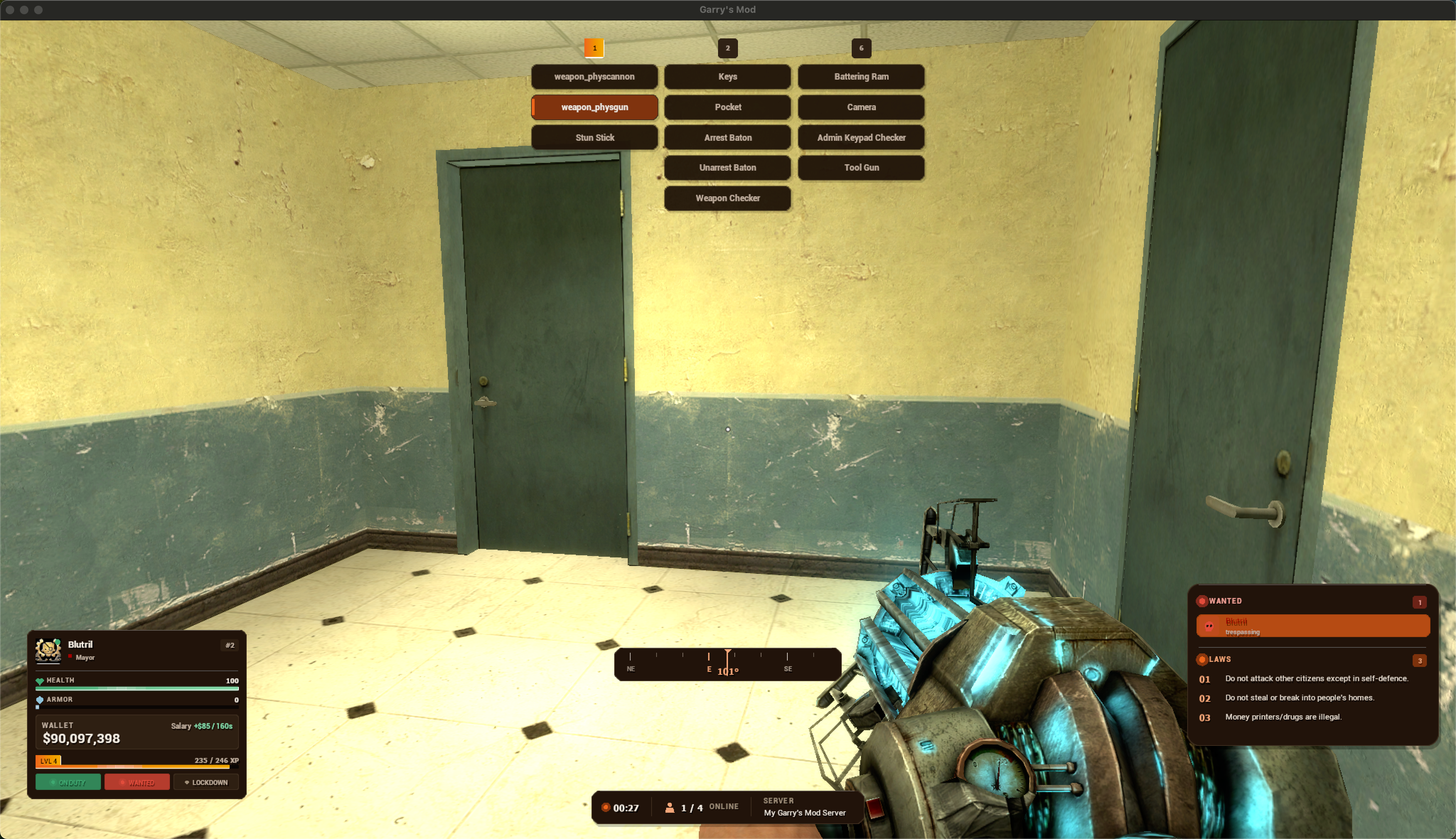
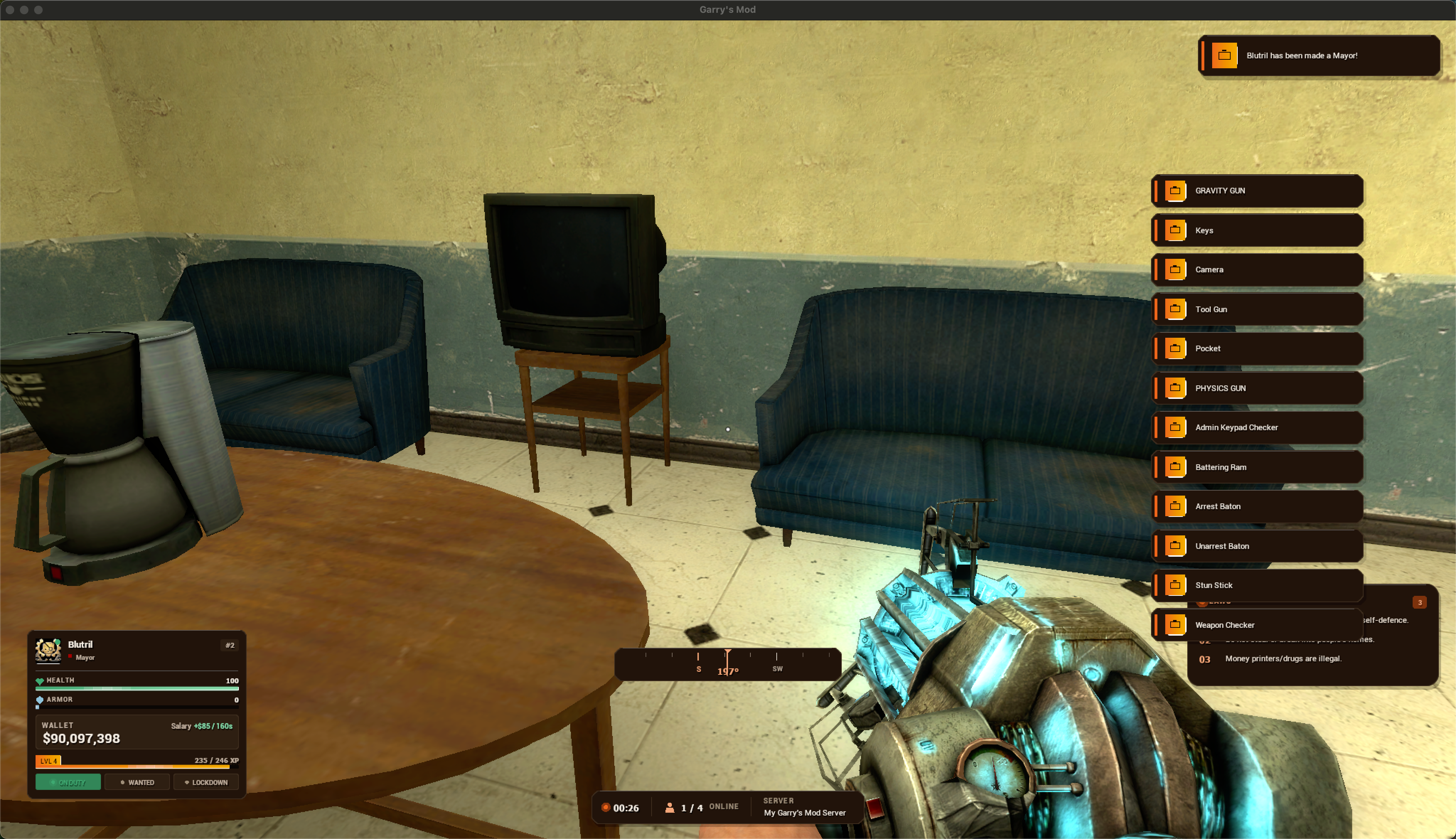
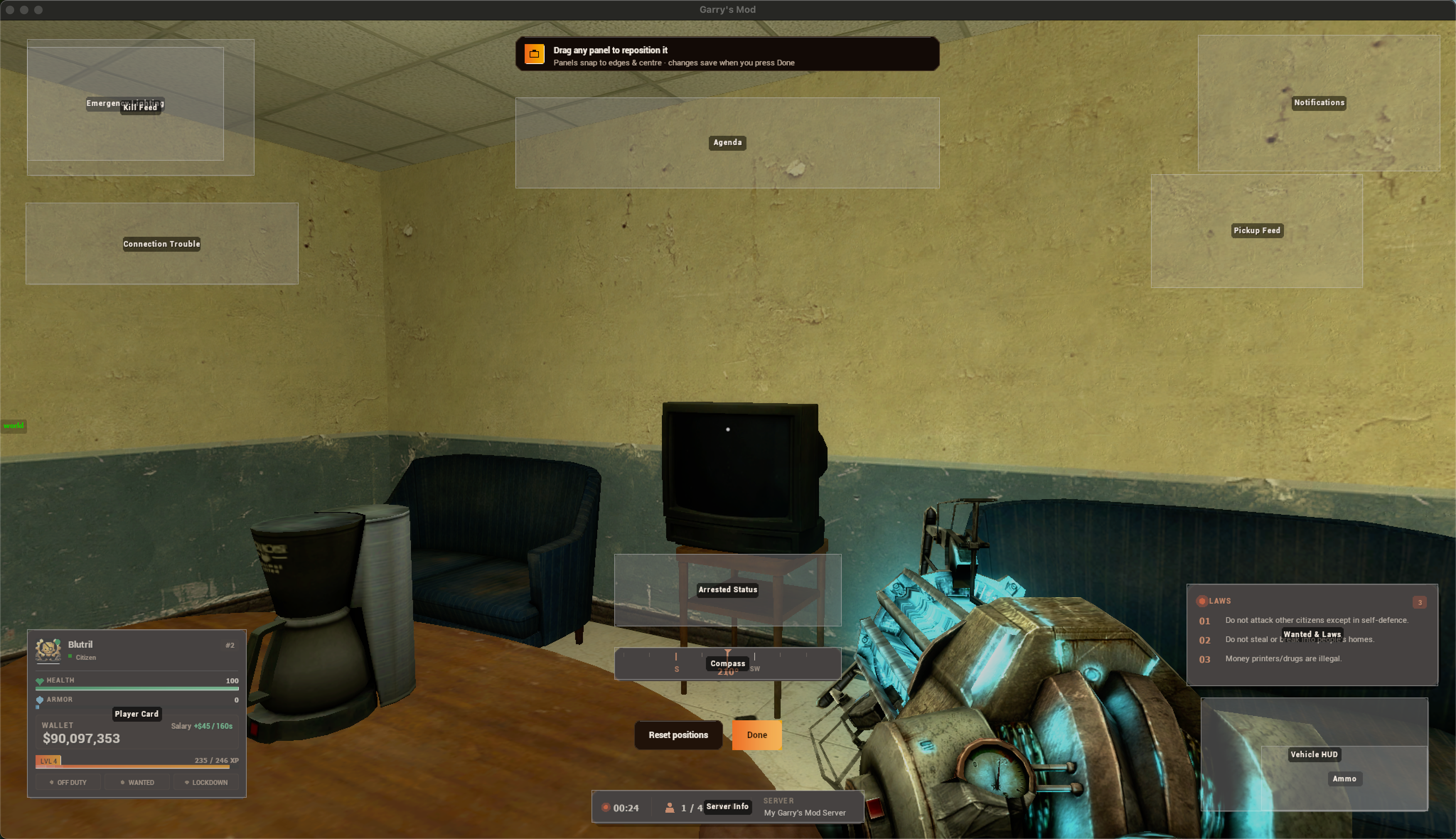
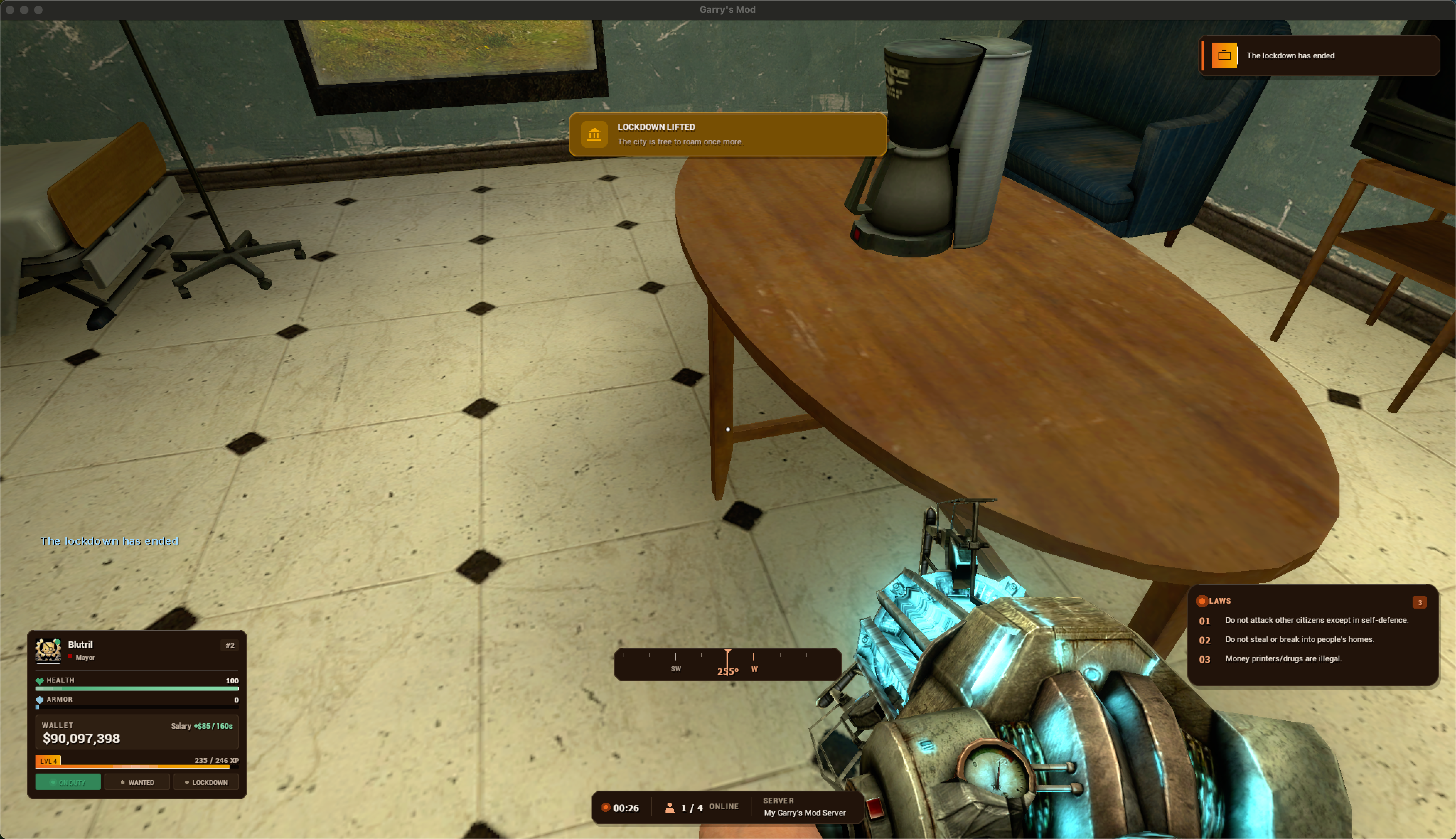
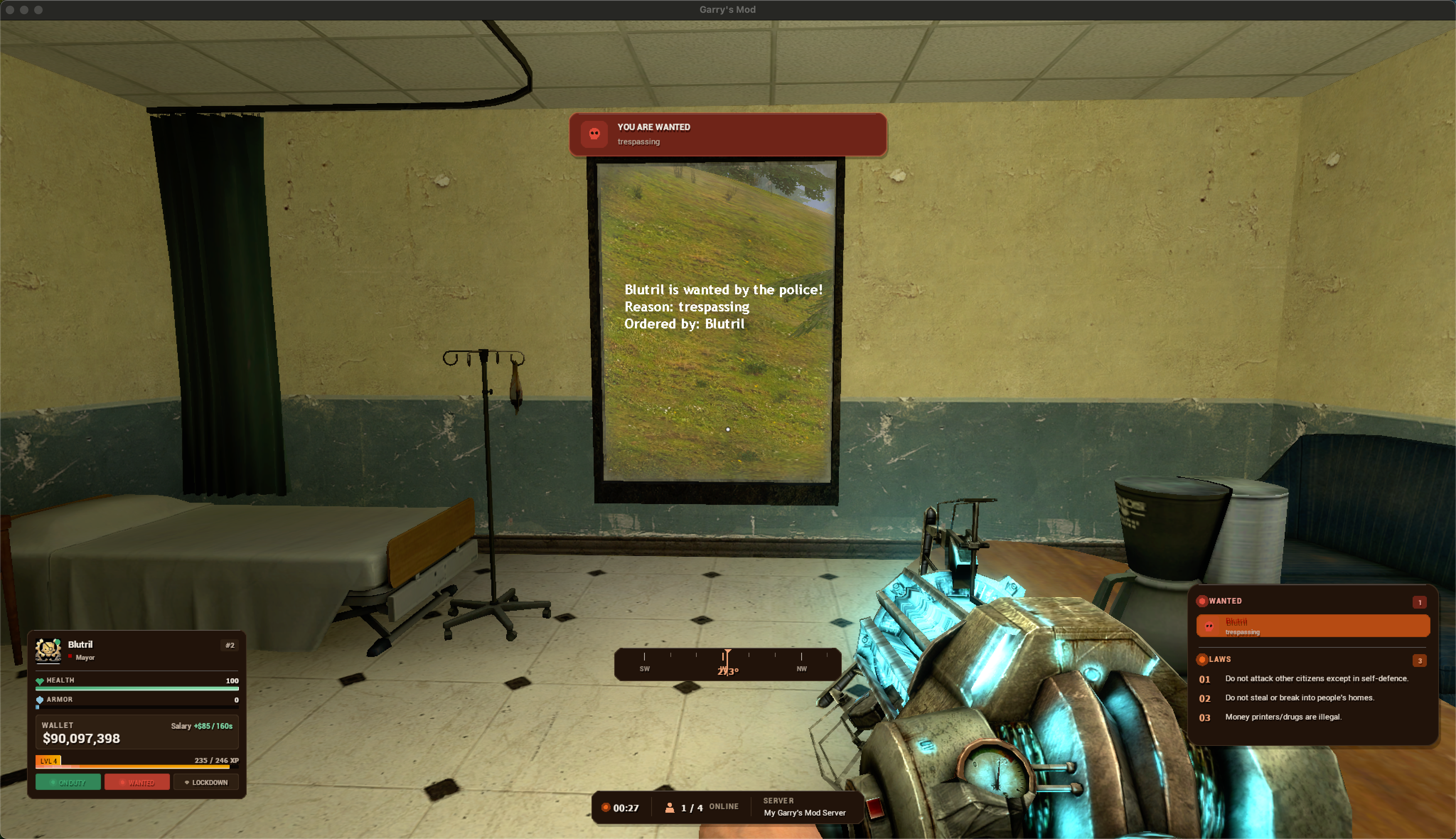
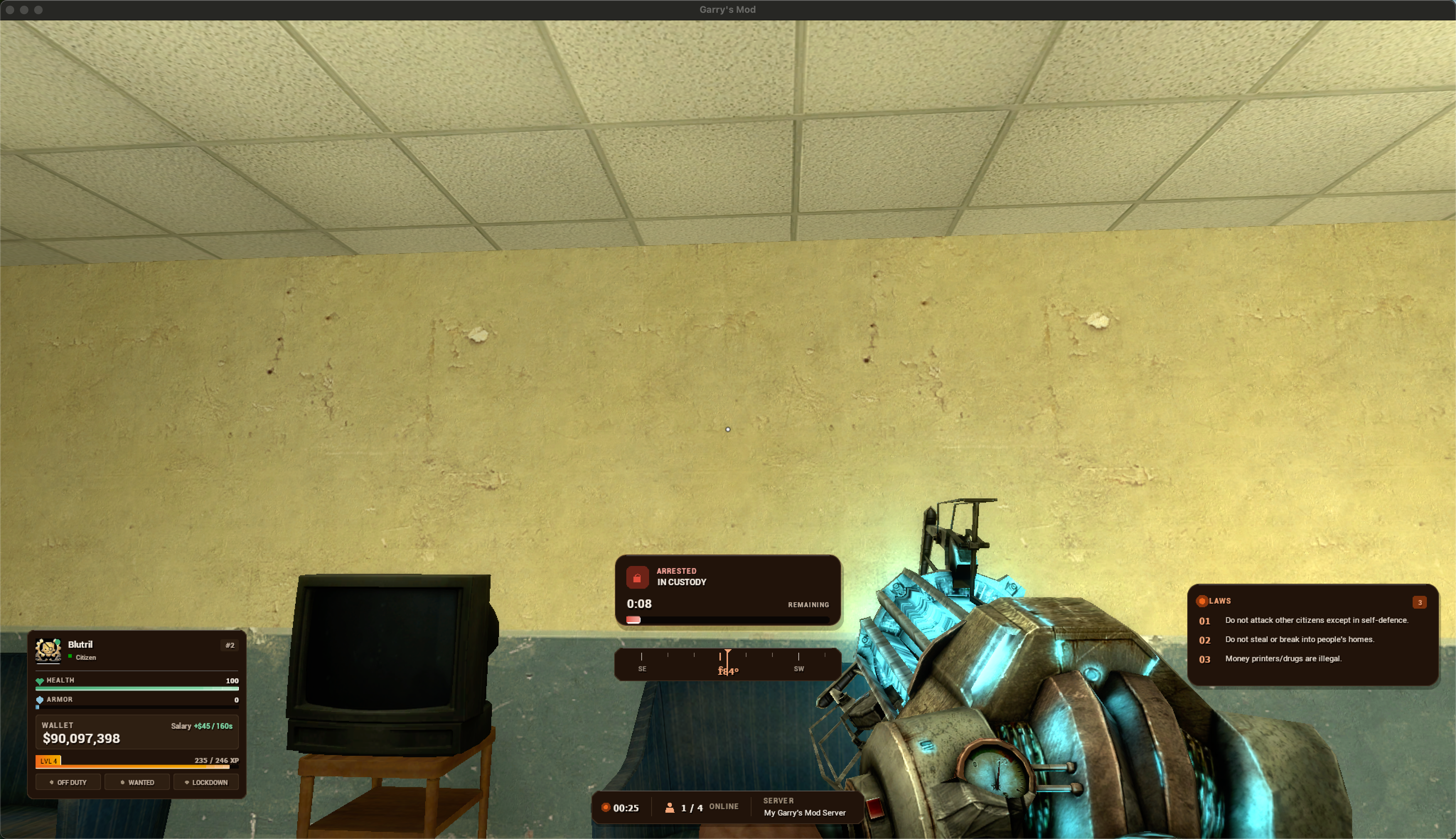
- Main player HUD - health, armor and hunger, wallet, level & XP, status pills, ammo, agenda, and an animated voice-chat popup
- Overhead player info - floating name, job and health tags above other players
- Kill feed - team-coloured pills showing killer, weapon and victim, with smooth slide-in / fade-out
- Custom dynamic crosshair - the gap reacts to movement, jumping and firing, and warms up when you aim at a harmable target
- Damage indicators - directional hit arcs pointing at your attacker, plus a low-health screen vignette
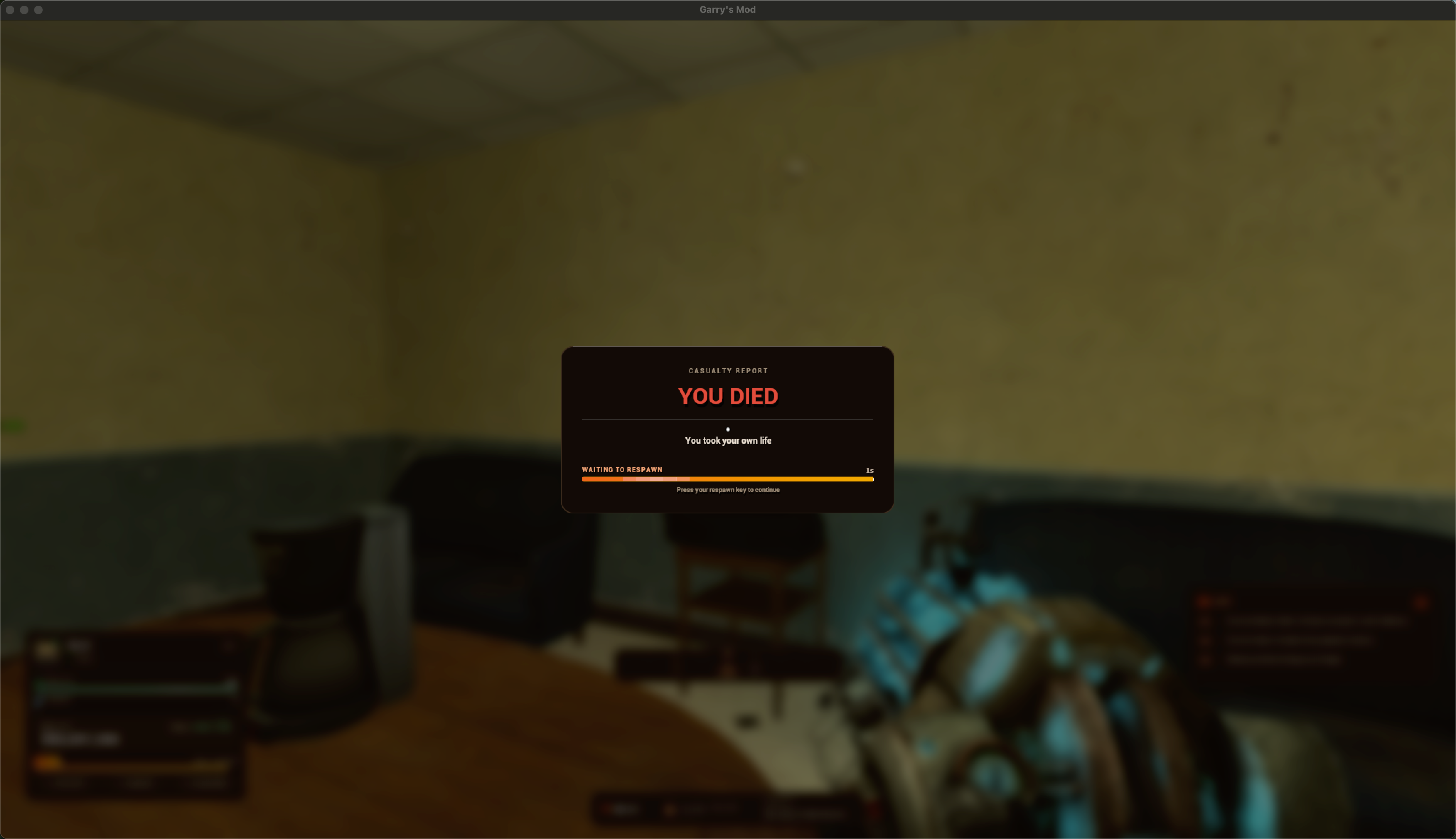
- Death screen - a full-screen respawn screen showing who killed you, with what weapon, from how far, and your respawn countdown
- Event alerts - bold sliding banners for lockdown, wanted and arrest events
- Wanted & Law board - live wanted players and the active server laws, always current
- Vehicle HUD - speed and vehicle condition while driving, with VCMod support for fuel, gear and lights
- Styled notifications - a clean notification feed that matches the rest of the UI
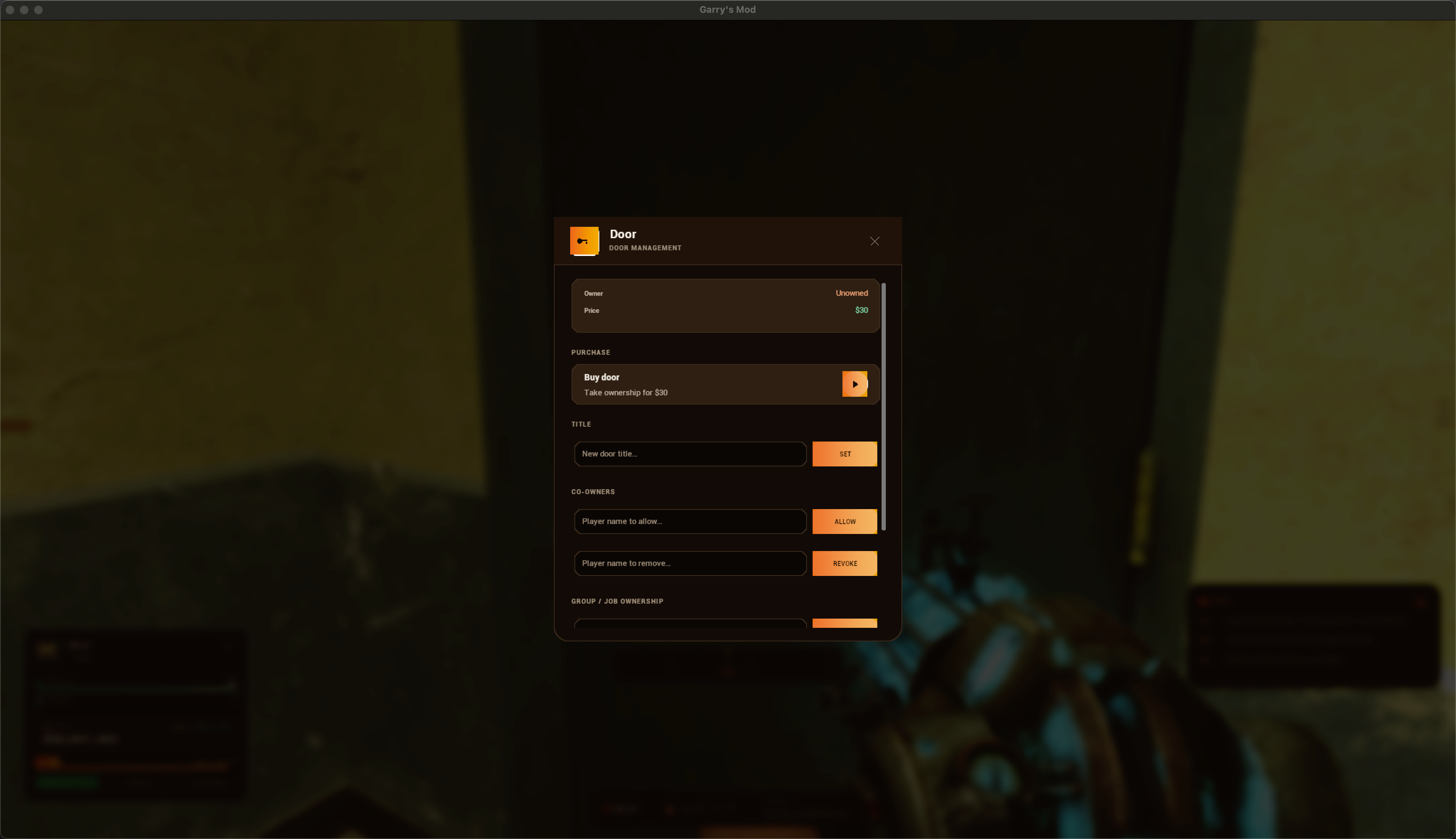
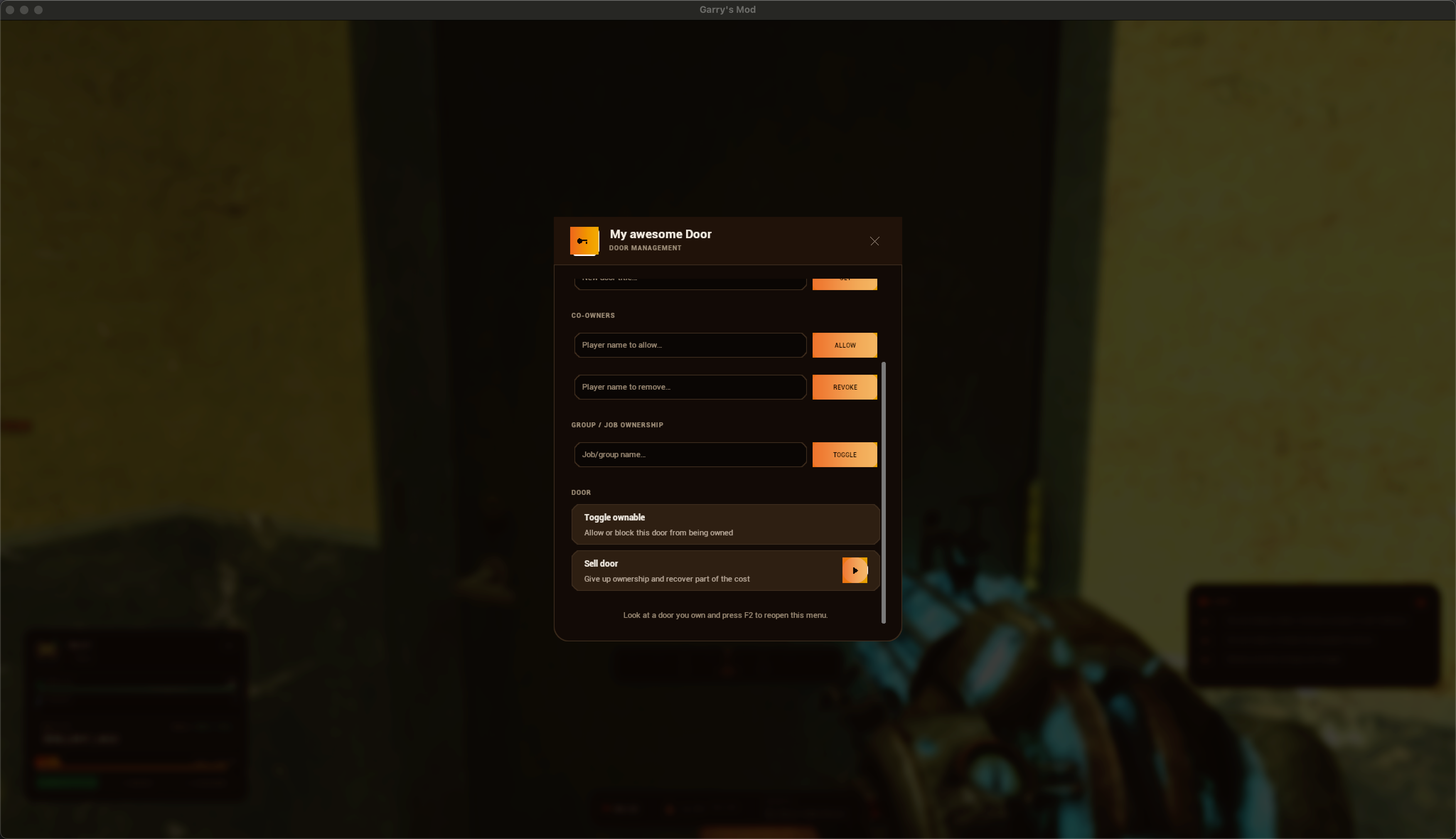
- Door HUD - door owner panel with F2 door actions built in
- Server info bar - clock, online / max player count, and server name

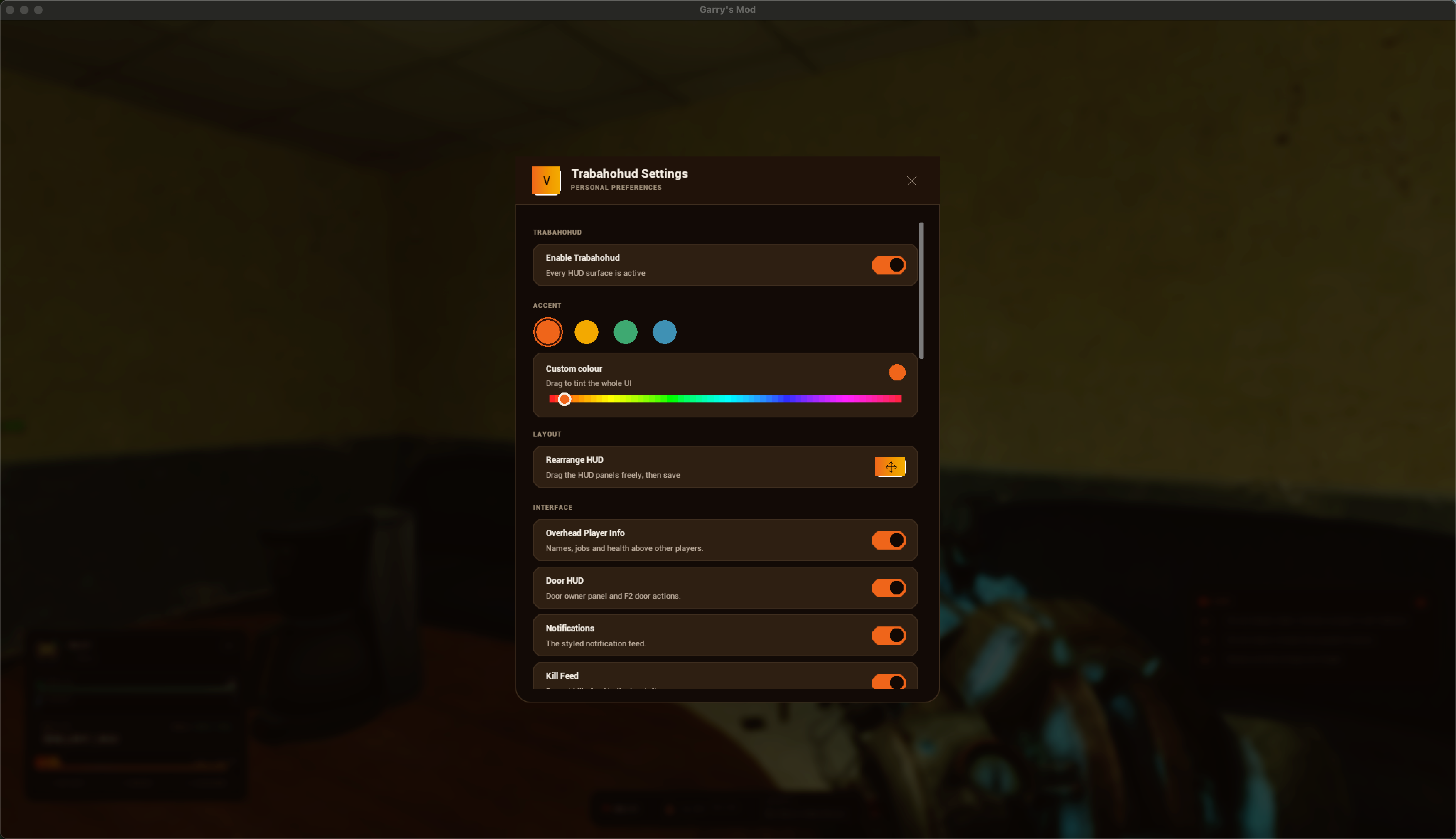
- Recolour the entire UI live with one pick - Ember, Gold, Sage, or Teal.
- Automatic resolution scaling
- The UI scales itself to the player's resolution - crisp on 1080p, 1440p and 4K alike.
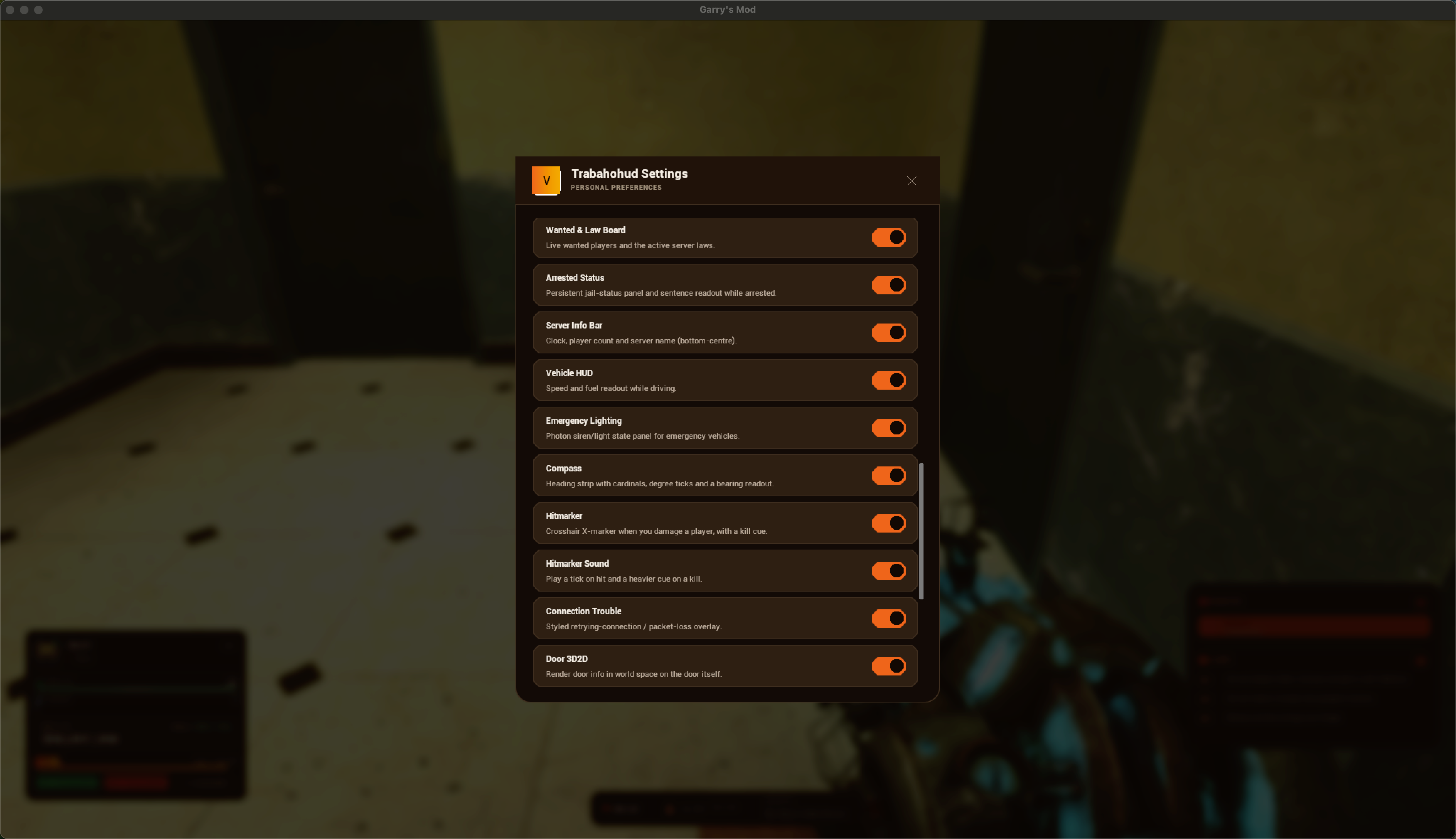
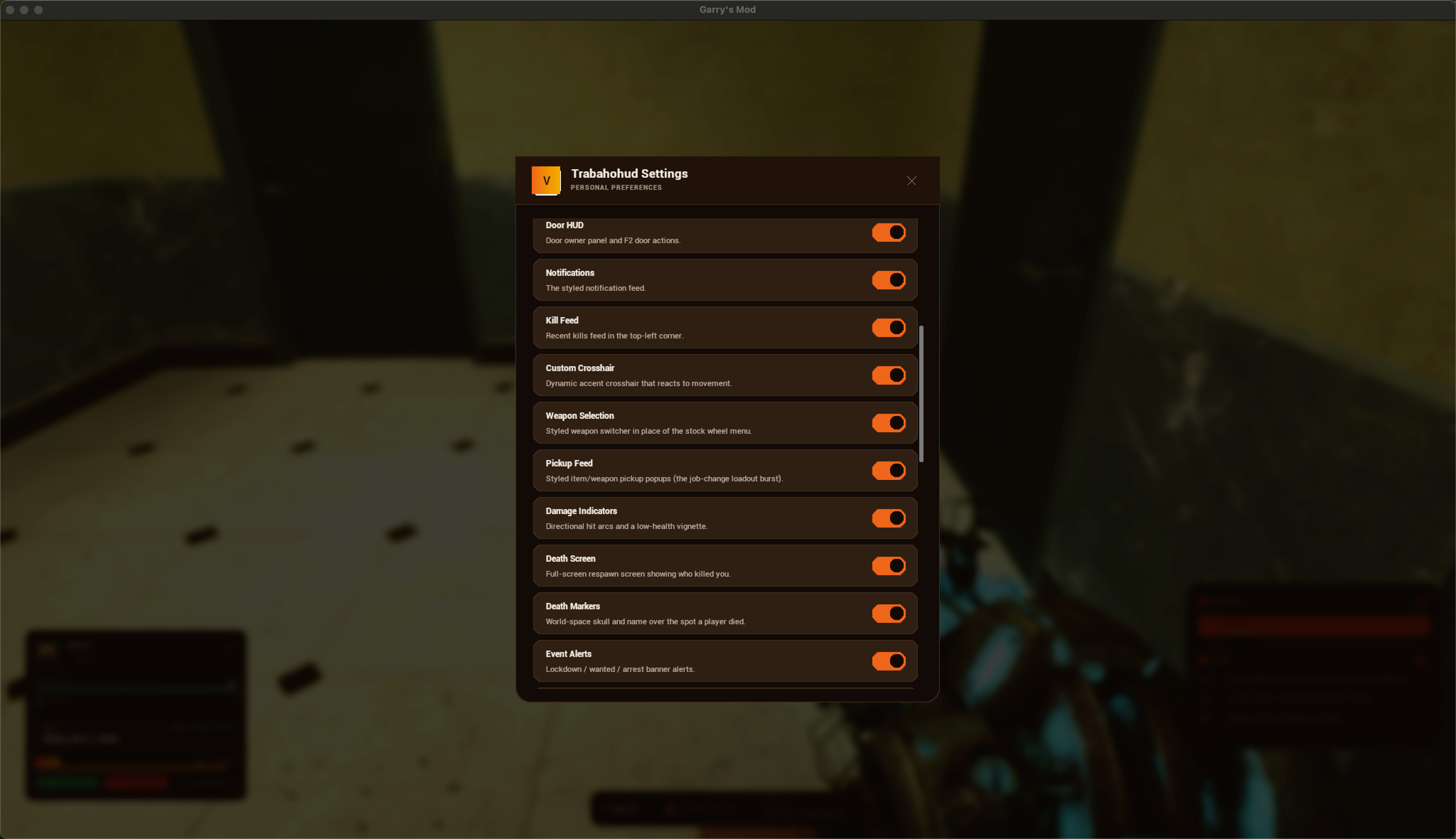
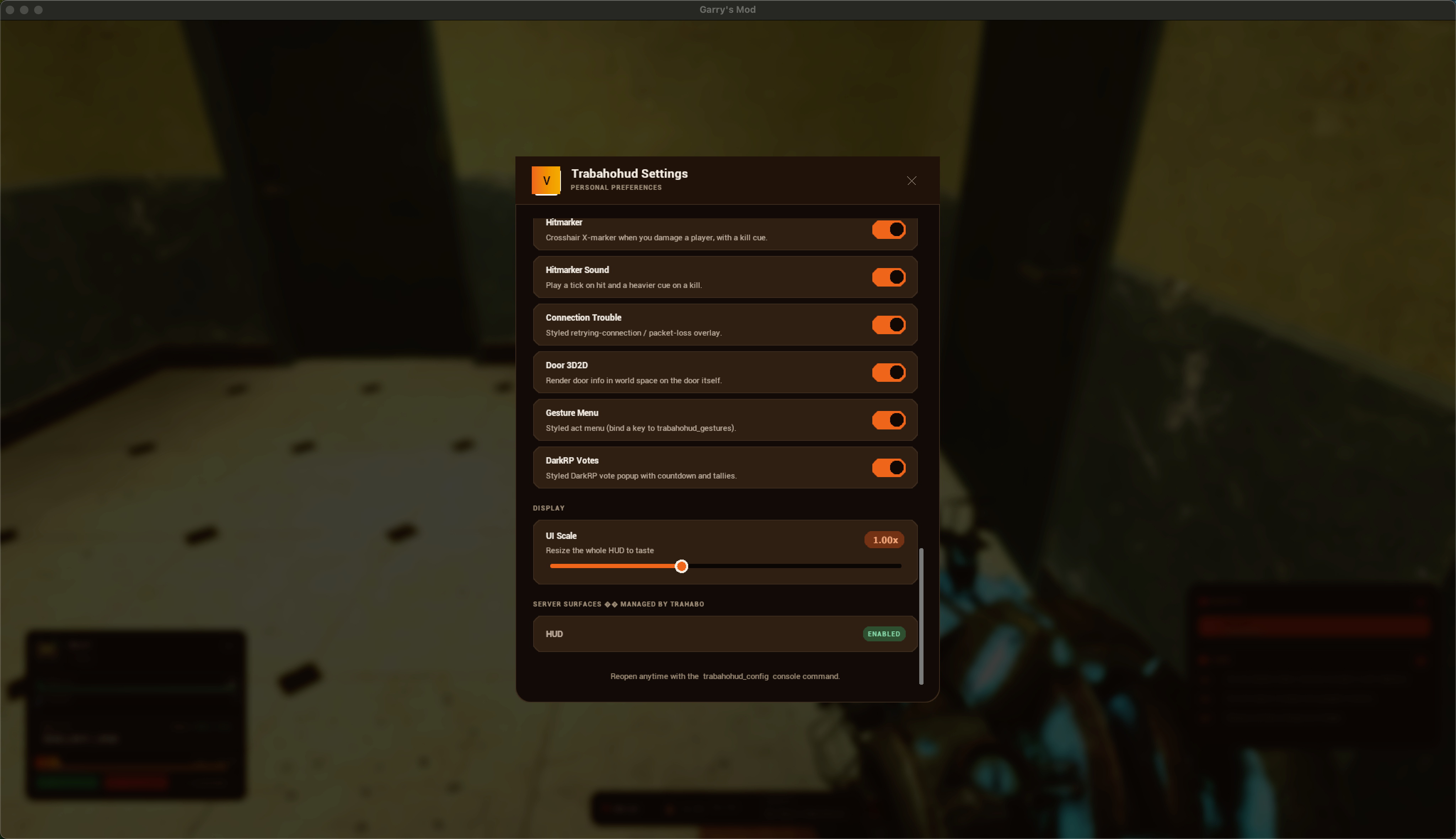
- In-game settings panel
Every per-player preference lives in a clean in-game panel - no console-convar hunting, no server-side editing. Players open it with trabahohud_config (bind a key for quick access) and toggle exactly what they want: the accent theme plus every surface - overhead info, door HUD, notifications, kill feed, crosshair, damage indicators, death screen, event alerts, wanted & law board, server info bar, vehicle HUD, and more.
Settings save per-player automatically, and each option only appears if its feature is installed.
 (60 seconds)
- Place the
trabaho-hudfolder into your server'saddonsfolder. - Restart the server.
- (Optional) Bind a key to the settings panel:
bind <key> trabahohud_config - Done - it works immediately.
Product reviews
This product has not been reviewed yet.