

Media gallery
No description


Buy product
$13.99
Includes 6 months of product support.
In short
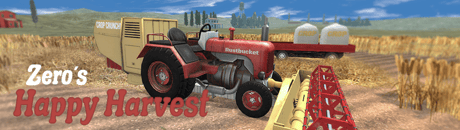
Zero´s Happy Harvest is a realistic farming script for darkrp. Its easy to use and allows the player to cultivate fields to grow diffrent kind of plants which he can sell to earn money.
Info
- Script runs better on the 64x gmod branch
- Source limits the decal count on displacements to ~10 so not all fields / plants which are created on displacements will have the bottom decal, this does not affect normal brush faces.
Zone Creator Toolgun
- Admins can setup zones in which players can cultivate fields to grow plants.
- Zones can be restricted to a plant type which prevents the player from growing anything other then the specified plant type.
- If the restriction is set to "None" then the player can grow what ever he got the seeds for.
- Zones can also be set to "Autoplant" which grows the automaticly the plant that is specified in the restriction.
Farming Equipment Crate
- The player can purchase the farming equipment from the Farming Equipment Crate which can be found in the DarkRP F4 menu if he has the job "Farmer".
- The price of the items in the crate is specified in the shop config which can be found at lua/zfarm/sh_shop_config.lua
- Items can be restricted by Rank, Job and any other reason using the .check attribute in the shop config file.
Plants
- New plants can be added using the plant config which can be found at lua/zfarm/sh_plant_config.lua
Tractor
- The player can connect machinery to the tractor by driving close to it and pressing the "C" Key.
- Depending on machinery, screen on the tractor will show actions and usefull information about the conntected machinery.
Cultivator
- The cultivator is used to create new field in which the player can grow plants.
- If the player drives over existing fields while the cultivator is turned on it will remove any existing plants.
Planter
- The planter is used to plant the seeds in to cultivated fields.
- Seeds need to be bought first from the Equipment Crate and added to the (deconnected) planter machine.
- Seeds can be removed again from the planter by pressing "E" on the planter.
Harvester
- The Harvest attachment is used to harvest the fully grown crop.
- Only one crop at the time can be harvested, so in order to harvested a crop of another type the harvester needs to be emptied first by pressing the "F" Key while driving the tractor.
- Depending on Plant type the dropped Crop will be either a bag or a crate.
Trailer
- The trailer is used to move the harvested crop to the Crop Buyer NPC.
- The player can either sell the Crop by pressing "E" on the NPC or by pressing the "F" Key while driving the tractor close to the NPC.
- The value of each crop is defined in the plant config but it also can be modified using the zfa_PreSell hook.
Haypress
- Certain types of plants (Wheat) will produce a haypile when harvested.
- Haypiles can be collected by the Haypress attachment and pressed in to hayblocks.
Haystacker
- The Haystacker attachment is used to collect the hayblocks.
- All collected hayblocks can be unloaded using the "F" Key.
- Hayblocks can also be sold to the Crop Buyer NPC.
Tiberium Mode
- The Tiberium Mode can be enabled in the main config (zfa.config.TiberiumMode)
- In this mode the player can only purchase the tractor , trailer and harvester attachment from the Equipment Crate
- Those machines will look more scifie.
- Tiberium crystall zones need to be setup using ZoneCreator tool (AutoPlant)