

Media gallery
Buy product
$4.99
Ongoing product support is included.
In short
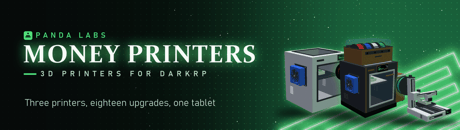
Desktop 3D printers that print money for DarkRP. Three printer tiers, eighteen upgrades that physically bolt on, and a tablet to run them all remotely. Cash builds on the plate layer by layer, and printers overheat, clog and burn if ignored. One config file, eleven languages.
Standard DarkRP money printers are a grey box in a corner that emits money. A player buys one, forgets about it, and comes back to collect. Nothing happens in between.
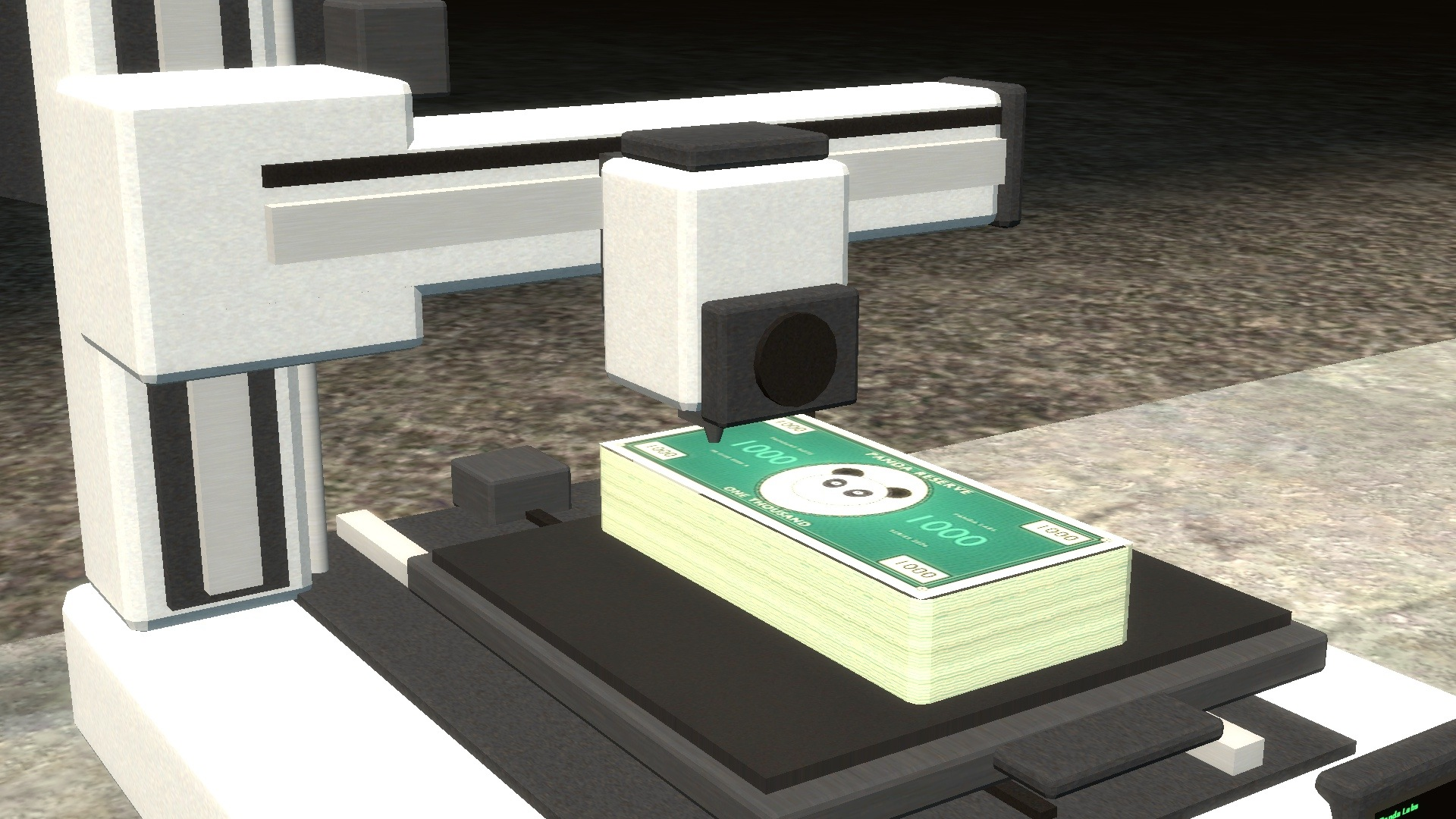
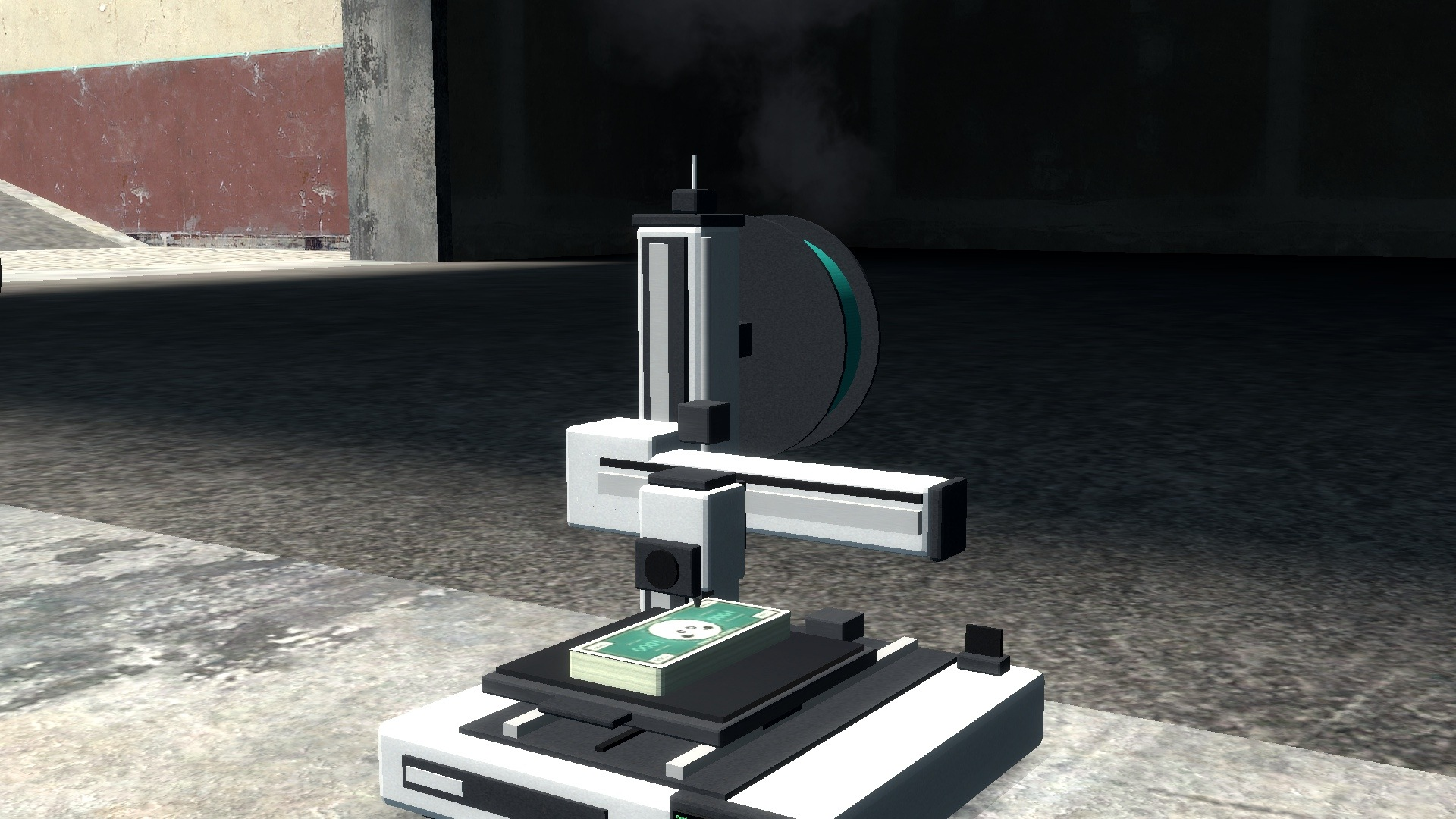
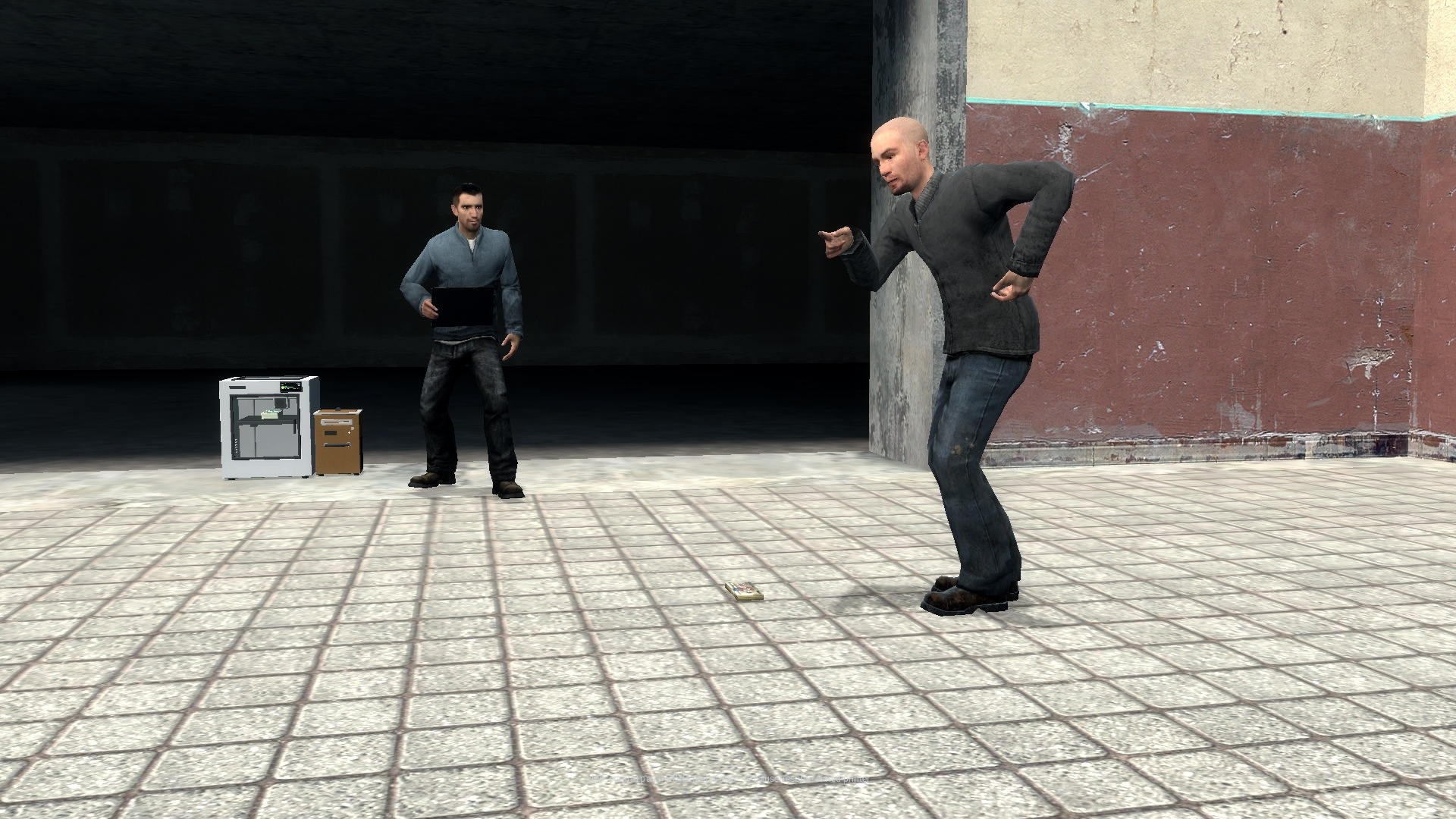
These are 3D printers, and you watch them work. Cash builds on the build plate a layer at a time while the toolhead traces over it, and the machine on the front tells you what it is doing. They get hot, they clog, they run out of filament, and if a player ignores all of that the printer catches fire and takes the money with it.
That is the point: a printer that asks something of its owner. A player who checks on theirs earns more than one who does not.
🖨️ Three Printers
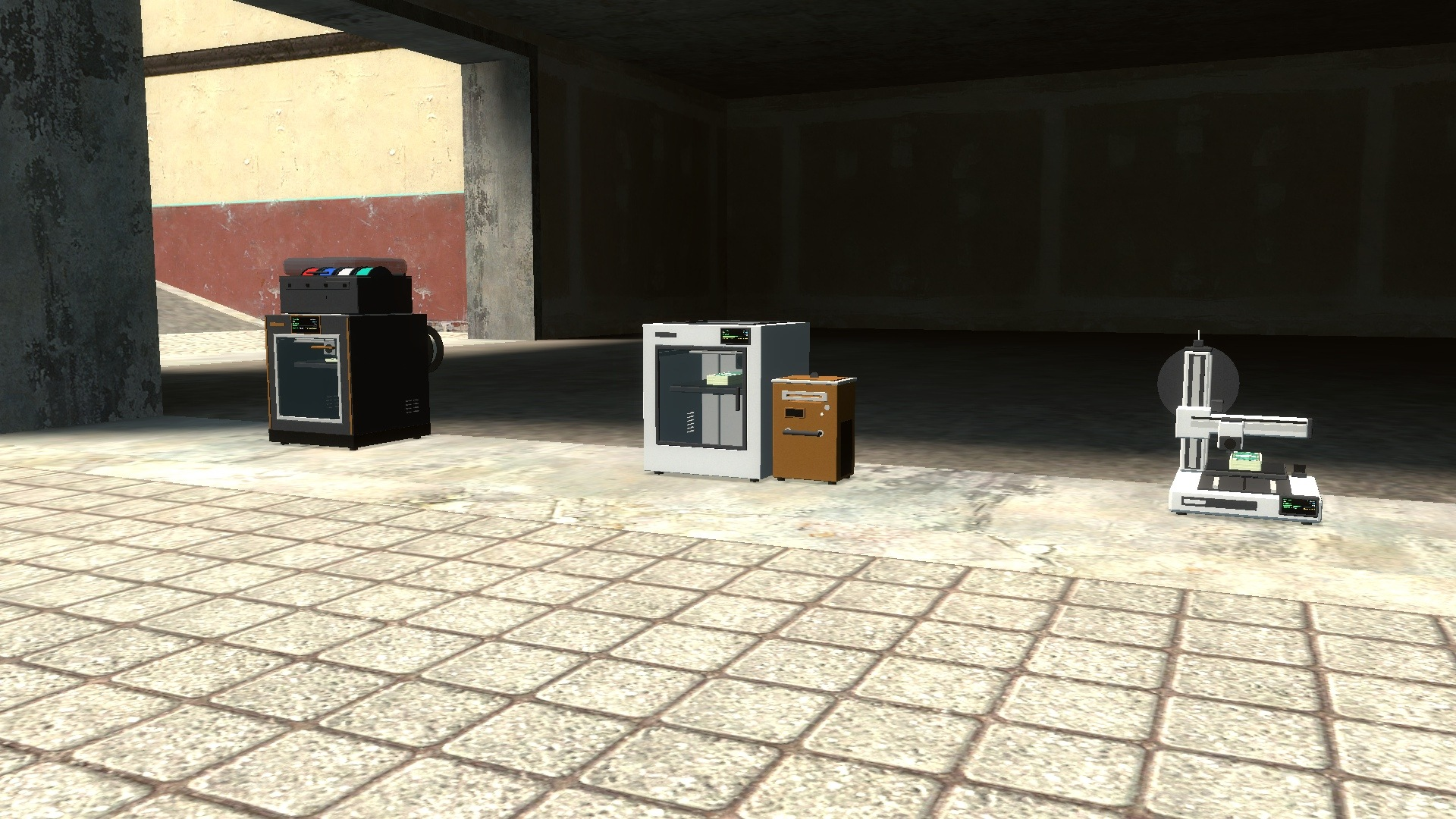
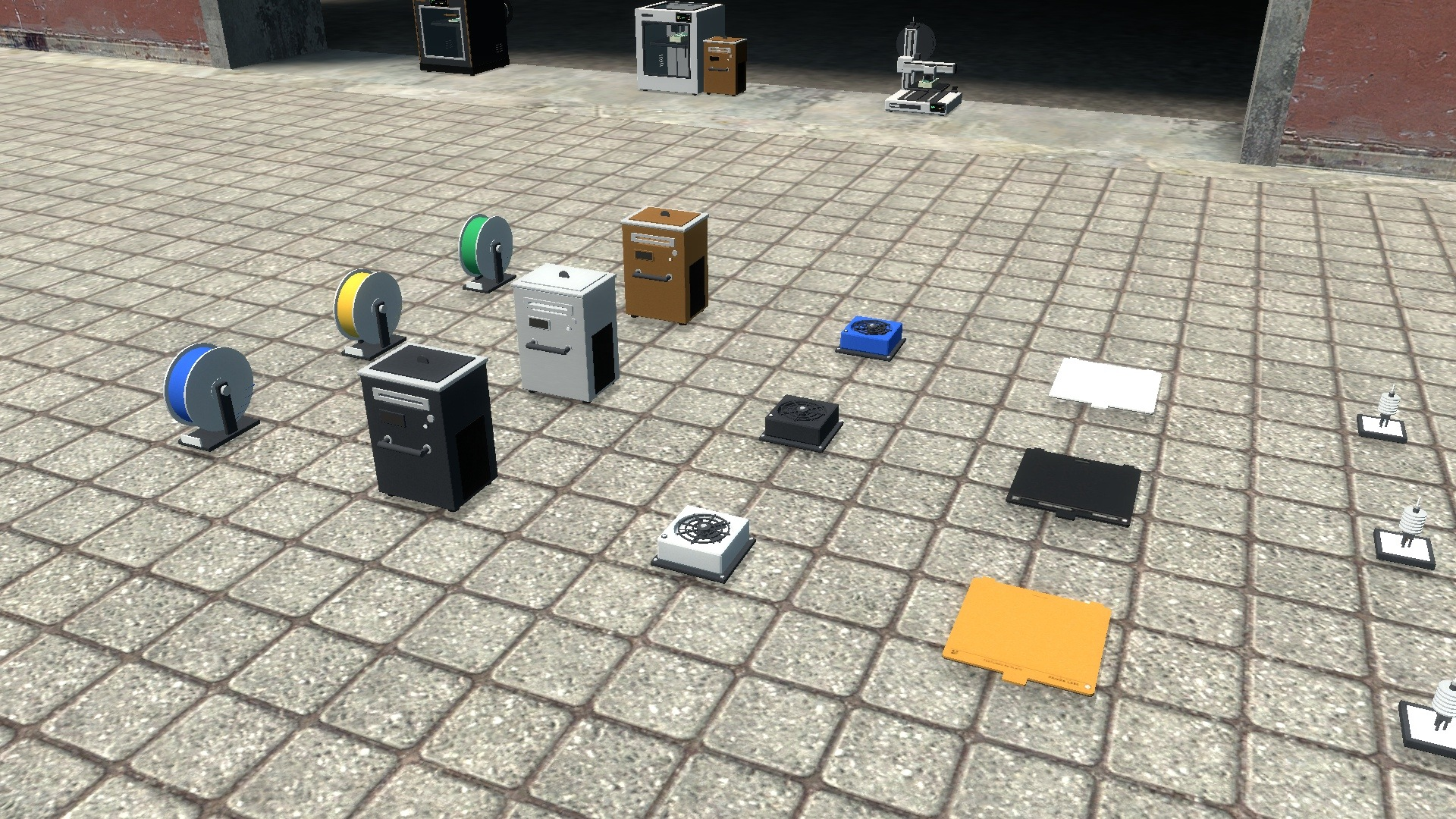
- Panda Mini - open-frame bed slinger. Cheap, slow and runs hot.
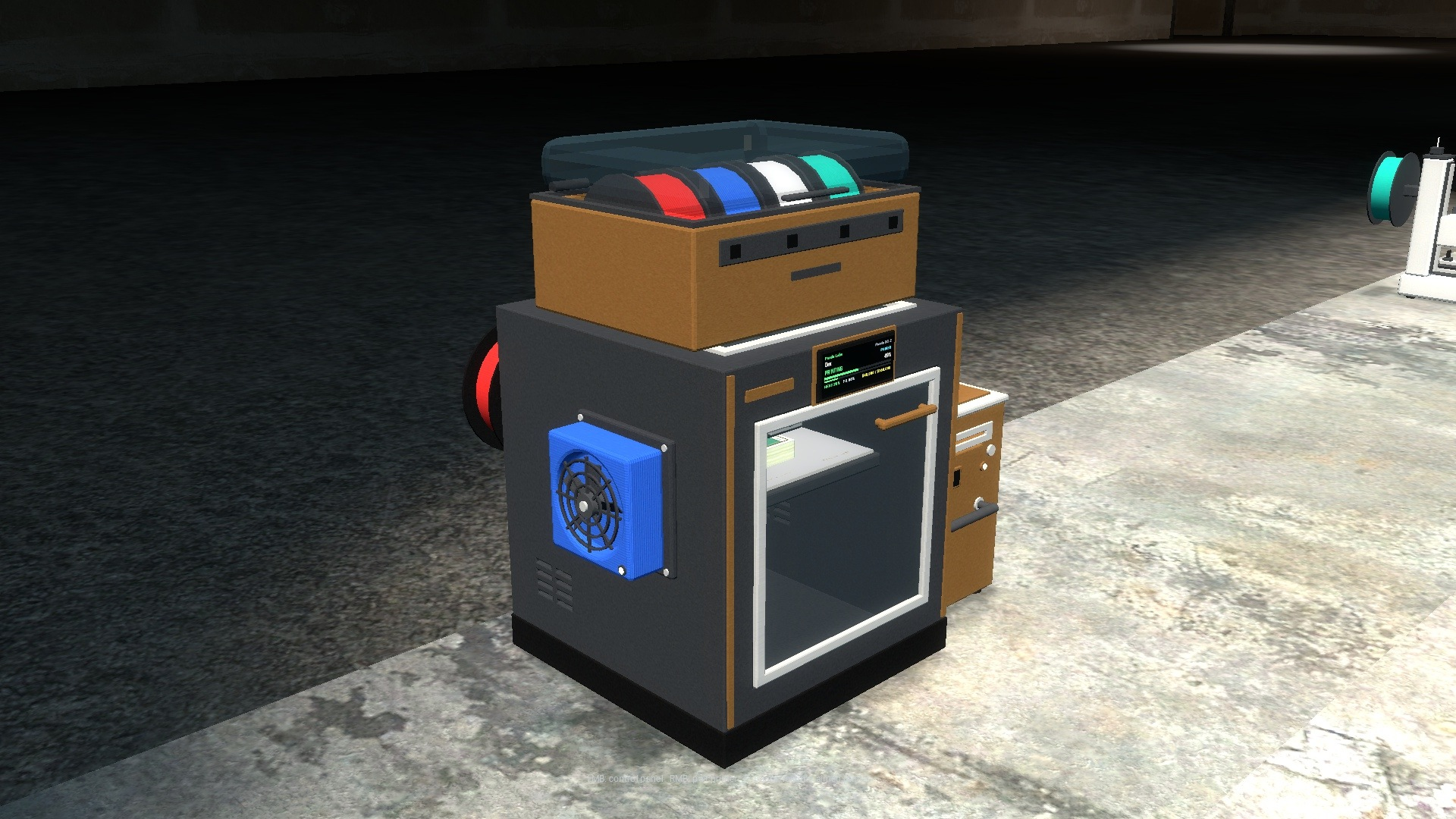
- Panda PS-1 - enclosed CoreXY. The reliable mid-range earner.
- Panda XC-2 - flagship enclosed machine, fastest and coolest running.
- Each has its own price, print time, payout, storage capacity, heat behaviour, failure rate and health, all set by you.
- Bed-slinger and CoreXY motion are animated separately, so the Mini moves its bed while the other two move a gantry.
💵 Watch The Money Print
- A bundle of cash builds on the plate layer by layer as the print runs.
- The top surface rises as it fills in, so progress is visible from across the room.
- The toolhead tracks across the print while it works.
- Finished cash stays inside the machine until somebody collects it.
🖥️ On-Printer Display
- Owner name and current status.
- Progress bar for the print in hand.
- Heat level and filament remaining.
- Cash stored against the machine's capacity.
🔧 Eighteen Upgrades
- Six types, three tiers each.
- Material Unit - bundles are worth more (x1.25 / x1.50 / x2.00 by default).
- Nozzle - faster prints and fewer clogs.
- Build Plate - fewer failed prints.
- Cooling - less heat build-up and faster cooling.
- Storage Cassette - holds more cash before the printer stops.
- Filament Grade - higher bundle value and fewer failures.
- Carried over with the physgun or gravity gun and dropped onto the printer, where it snaps into the right socket.
- Nozzle and build plate tiers visibly change on the machine.
- A higher tier replaces a lower one and pops the old part out on the floor.
- Detached again from the tablet.
- Any upgrade can be blocked or re-tuned on a specific printer.
📱 The Panda Tablet
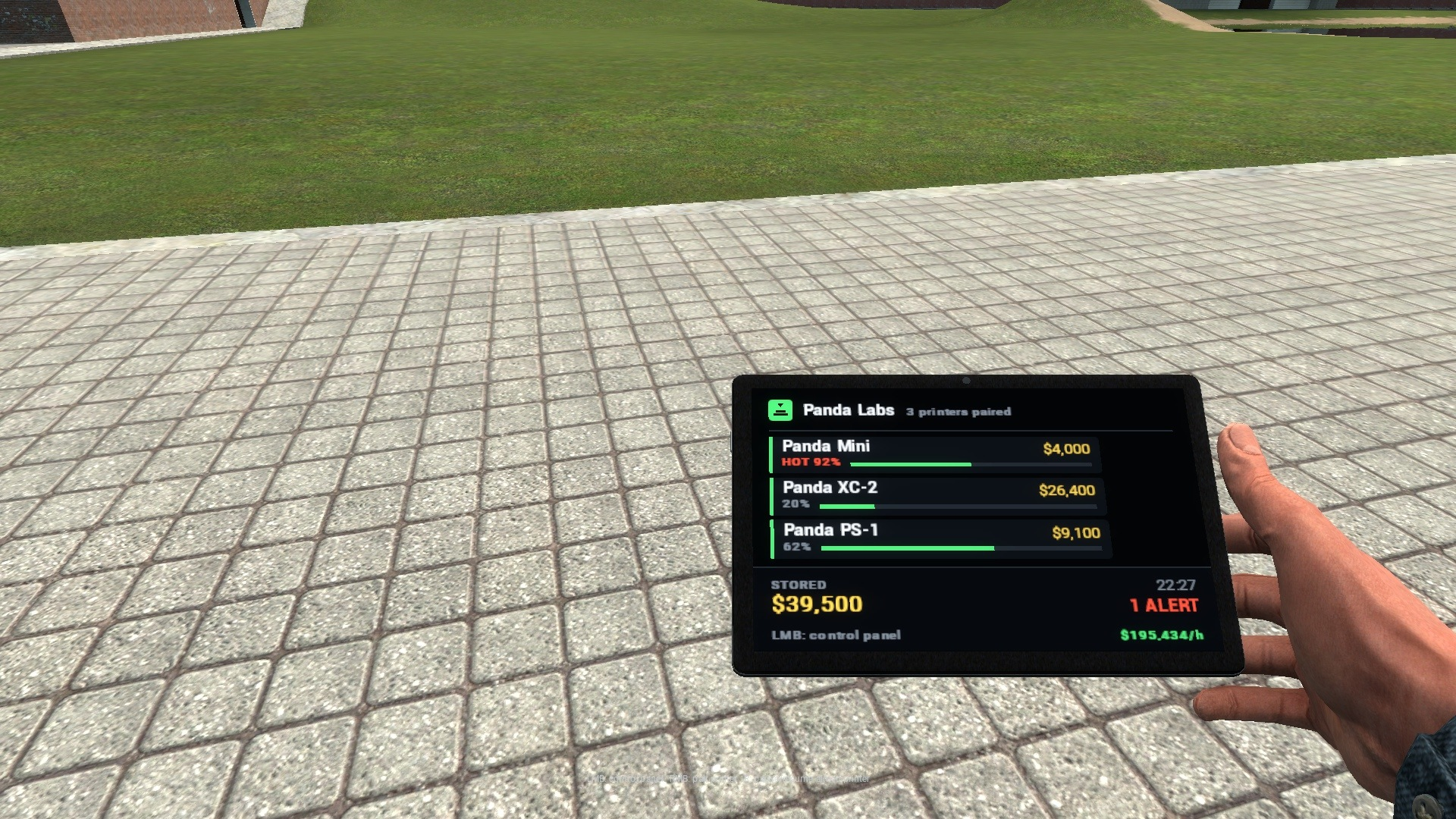
- A weapon. Right click a printer you own to pair it, then left click anywhere on the map.
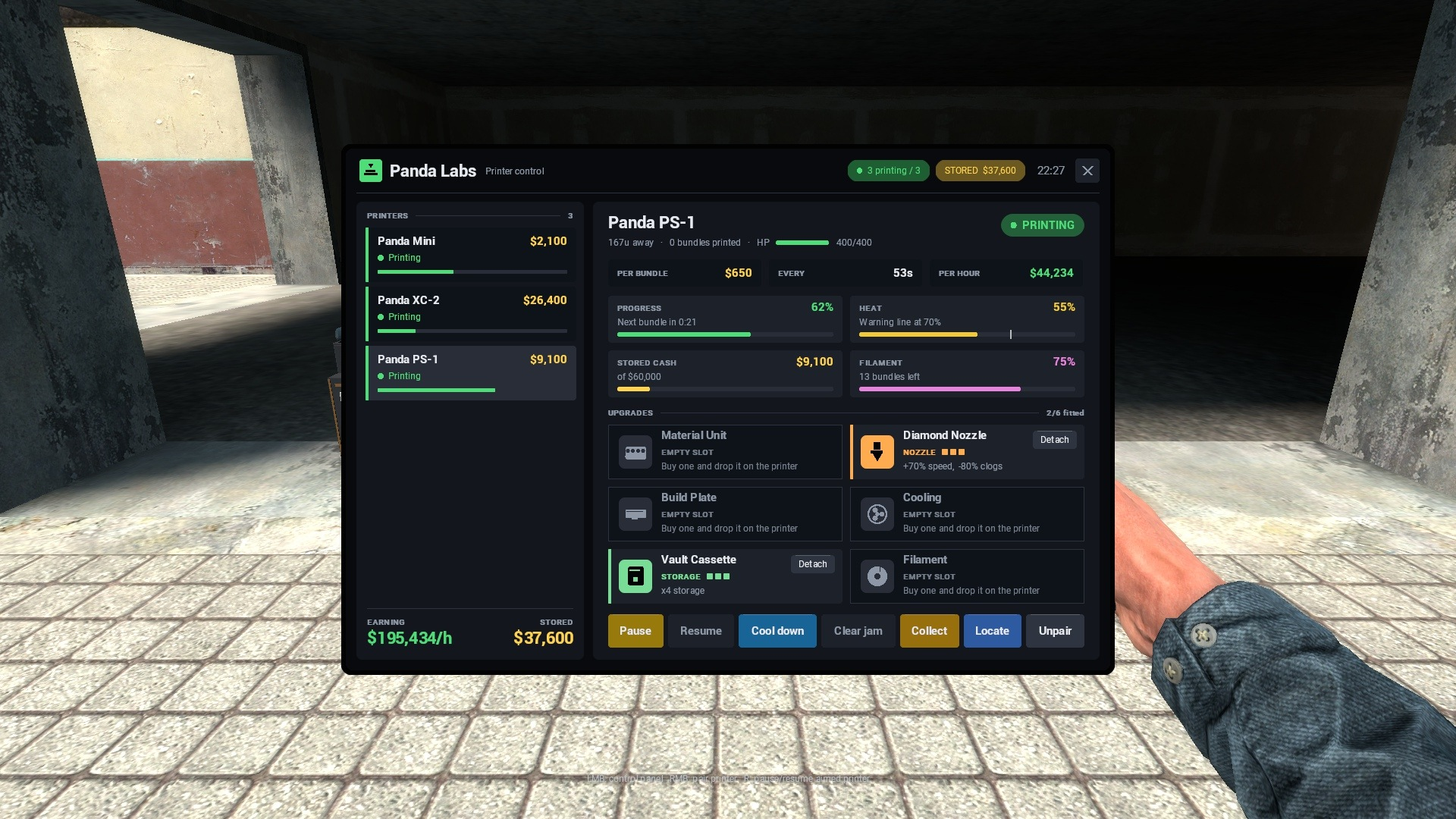
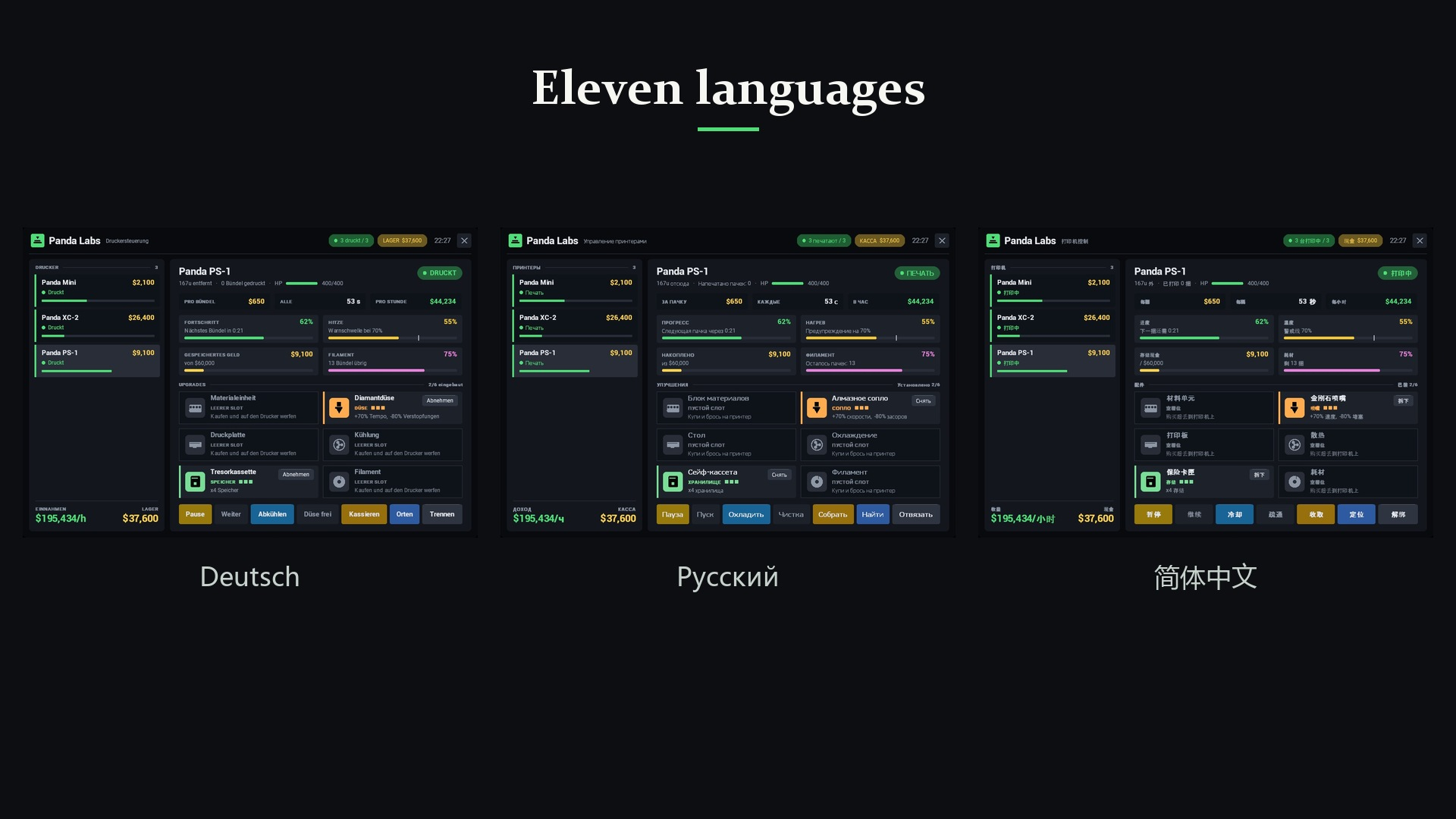
- Lists every printer you have paired with live status, progress, heat, filament, stored cash and distance, and flags whatever needs your attention.
- Pause, resume, cool down, clear a jam, locate and detach upgrades from anywhere. Collecting works within 400 units by default, or from anywhere if you allow it.
- Shows what the whole fleet earns per hour and a running total of everything waiting to be collected.
- The tablet's own screen shows your printers at a glance, the ones that need you first.
- Custom hand pose, weapon selection icon and interface sounds.
🔥 Heat, Jams and Fire
- Every printer settles at a heat level you configure, and that level decides how dangerous it is.
- Above the warning line clogs get likelier and the heater throws thermal runaway spikes.
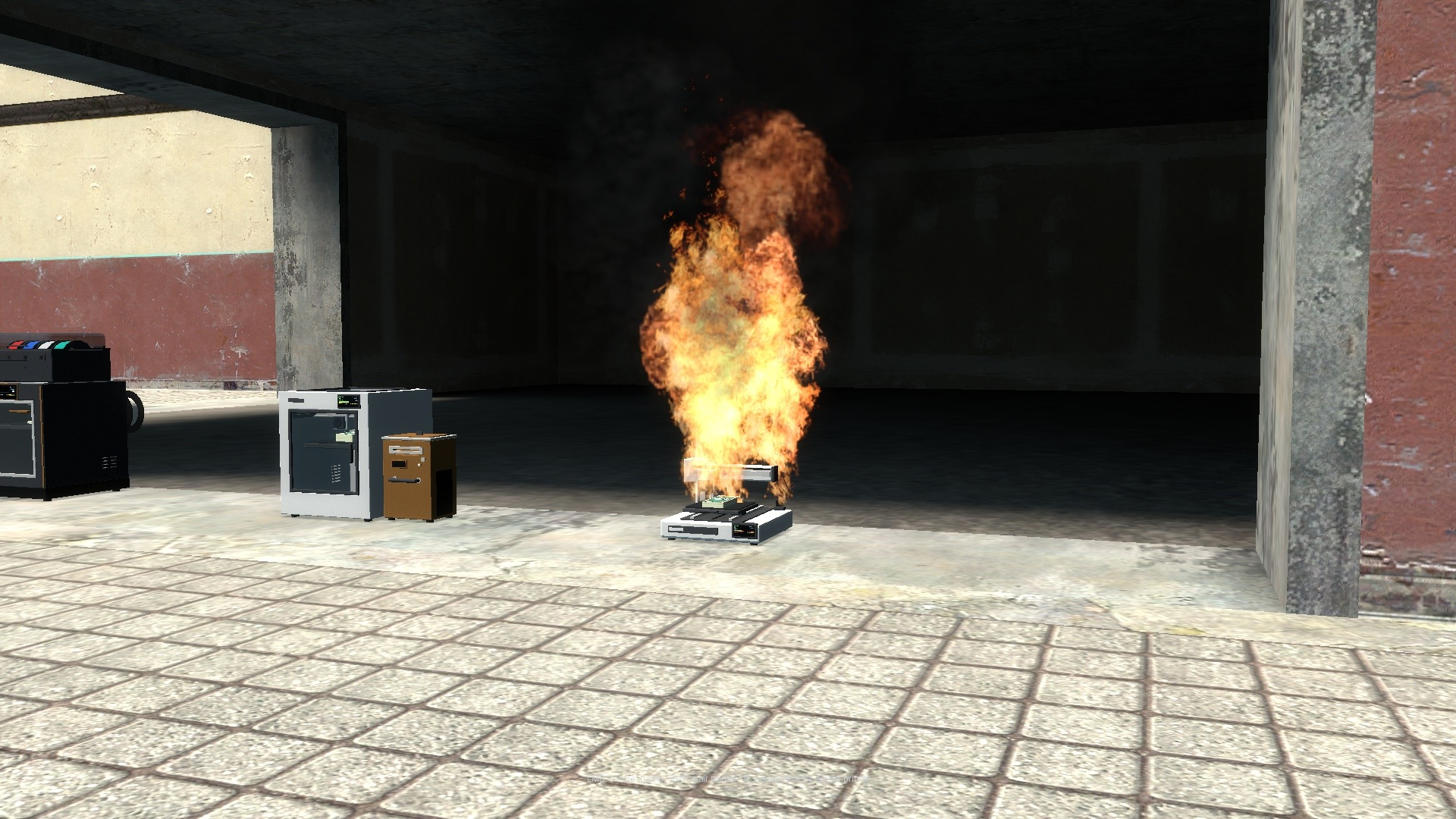
- At the defaults the cheap Mini burns after about ten minutes left unattended, the mid-range PS-1 after an hour, and the flagship XC-2 never does. One cheap cooling upgrade settles any of them.
- Ignored, the printer catches fire, burns for a few seconds and explodes.
- A share of the stored cash survives as a money bag for whoever is standing there.
- Pausing and the tablet's cool-down cost nothing; cooling upgrades make it relaxed.
- Prints can fail outright and pay nothing.
- Printers can be destroyed by damage, and by water if you want them to be.
🧵 Filament
- Every printer arrives with a full spool and uses it up as it prints.
- When it runs dry the printer stops until somebody brings a Filament Spool.
- The spool is a purchasable item with its own price and per-player limit.
- Set how many prints a spool covers per printer, or switch the mechanic off entirely.
⚙️ Configuration
- Everything lives in one commented file: lua/plabs/sh_config.lua.
- Prices, print times, payouts and storage caps per printer.
- Heat rates, cooling rates, jam chances and failure chances.
- Every upgrade price and multiplier.
- The whole risk model: warning threshold, jam scaling, runaway chance and size, cool-down length, fire duration, explosion radius and damage, and how much cash survives destruction.
- Per-printer overrides, so a tier III part can behave differently on the flagship.
- Per-player limits, per-job restrictions and custom check functions on any item.
- The duplicator is switched off for these entities by default, so nobody pastes free printers.
- Eight developer hooks for printing, collecting, attaching, detaching and destruction.
- A written setup guide and a full settings reference ship in the folder.
🌍 Eleven Languages
- English, German, French, Dutch, Spanish, Brazilian Portuguese, Italian, Russian, Polish, Turkish and Simplified Chinese.
- Language is per player, not per server. Everyone reads the interface and their own notifications in their own Garry's Mod language.
- Anything untranslated falls back to English, so a partial translation is safe.
- Adding your own is a single file, with a written guide included.
plabs_checklangin the server console checks a language against English and lists anything missing, mistyped or with the placeholders out of order.
🧩 DarkRP and Sandbox
- Every item registers itself into the F4 menu on startup, under a category you name.
- Or turn auto-registration off and use your own darkrpmodification entries; the class list is in the guide.
- Also spawnable in sandbox, admin only by default.
- Works on any map.
- No Workshop content packs to subscribe to and no external dependencies. Models, materials and sounds are all in the addon.
Product reviews
The product rating is hidden.