

Media gallery
Trailer 1.0.4


Buy product
$10.99
Includes 6 months of product support.
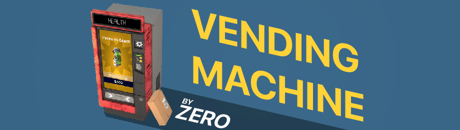
In short
Zeros Vending machines gives you a fast and easy way to Sell and Present Items to your Players.
Spawning:
- Simple spawn the machine from the SpawnMenu and place it somewhere on the Map.
Duplicate:
- If you already have a Vending machine setup and just want to duplicate it, then simply use the Duplicator Toolgun.
Mirroring Vendingmachines:
- If you want that every vendingmachine on the server has the same products and design then just look at the template machine and type
zvm_vendingmachine_mirrorin the console.
Adding Products:
- If you are an Admin (specified here zvm.config.AdminRanks) then there will be an Edit Button on the Top Right corner of the machine.
- In config menu simply press the "Edit Products" Button.
- Now the Vendingmachine allows to new Items to be added/edited.
- Collide a the Entity you want to add with the machine. (zvm.config.Vendingmachine.AllowedItems / BannedItems)
- The Item should now appear in the list and you can press "E" on it to select it.
- The Buttons "Restrictions" , "Appearance" and "Change Price" should now be enabled.
- The Button "Restrictions" (Only for Public Vendingmachines) lets you define which Rank / Job Groups are allowed to buy the item. (zvm.config.Vendingmachine)
- The Button "Appearance" lets change the Item Name and Background Color.
- The Vending machine can hold up to 12 Items.
- After you finished adding all the Items press the "Apply" Button.
Visual Customization:
- In the config menu press the "Customization" Button
- The Customization Menu allows you to change the Skin, Color and Name of the Vending machine.
- Change it to your taste and press "Apply"
Changing Money Type:
- Admins can change the Moneytype of a Public Vendingmachine via the Machine Customization Interface.
- Currently the Vendingmachine supports:
- Money (DarkRP, Basewars, Nutscript)
- Pointshop 1 Points
- Pointshop 2 Points
- Pointshop 2 PremiumPoints
Saving:
- Type !savezvm in the chat and press enter
- Now every Vending machine with its Products and Customization is saved on the map.
Item/Skin Requests:
- Some entities have custom data which need to be predefined in zvm_itemdata_sv.lua
- The Vendingmachine has currently 7 designs which should cover most RP Scenarios.
- Future Updates will add more Entity Classes with custom data and Skins but you can allways open a Ticket and request them their.
Private Vendingmachines:
- Private Vendingmachines can be bought via the F4 Menu
- Items in this Machine get used up so the Player needs to Refill the machine.
- The Owner of the Vendingmachine has access to the Config and can withdraw the earned money via the Config Button "Payout"
Entity Compatibility:
- Spawnable Kevlar Armor - https://steamcommunity.com/sharedfiles/filedetails/?id=151830991
- Arctic's Slightly Nicer Armor and Medkits - https://steamcommunity.com/workshop/filedetails/?id=494180444
- VCMod - https://www.gmodstore.com/market/view/vcmod-main
EasySkins:
- https://www.gmodstore.com/market/view/6740
- If you are an Admin (specified here zvm.config.AdminRanks) then there will be an Edit Button on the Top Right corner of the machine.
- In config menu simply press the "Edit Products" Button.
- Look at a Public Vendingmachine and type in the chat
!zvm_easyskins_add_SKINNAME - Or Look at a Public Vendingmachine and type in the console
zvm_easyskins_add SKINNAME
SH Accessories:
- https://www.gmodstore.com/market/view/sh-accessories-darkrp
- If you are an Admin (specified here zvm.config.AdminRanks) then there will be an Edit Button on the Top Right corner of the machine.
- In config menu simply press the "Edit Products" Button.
- Look at a Public Vendingmachine and type in the chat
!zvm_shaccessories_add_ITEMID - Examble: !zvm_shaccessories_add_pumpkinhat
Adding Weapons without Physics Model:
- You can add weapons that dont have a physics model by looking at a public vendingmachine and type these commands.
- Weapons which get added this way will directly be given to the player who unpacks the package instead of dropping them.
- Chat: !zvm_customweapons_add_WEAPONCLASS
- Console: zvm_customweapons_add WEAPONCLASS
It is forbidden to reupload this product on any platform, the only people who have rights are Zero and Kobralost.